DbGate — an easy-to-use alternative to DbVisualizer
If you’re using DbVisualizer but want a more modern interface, better collaboration features, or web access without the complexity, DbGate is the perfect alternative. It’s a modern SQL & NoSQL database manager that works seamlessly across desktop and web environments with powerful team collaboration built-in.
Why teams choose DbGate over DbVisualizer
Modern, intuitive interface. DbGate offers a clean, contemporary UI that’s easier to navigate than DbVisualizer’s cluttered interface. Get productive faster without searching through endless menus and toolbars.
Desktop and Web flexibility. Unlike DbVisualizer’s desktop-only approach, DbGate gives you both native desktop apps (Win/macOS/Linux) and a browser-based Web UI — even in the Free Community edition. Access your databases from anywhere.
True collaboration features. Real-time co-editing of queries and ER diagrams, secure connection sharing, and role-based permissions. Work together as a team, not just as individual users with shared credentials.
Unified SQL & NoSQL experience. Work across relational databases (PostgreSQL, MySQL, SQL Server, Oracle) and NoSQL databases (MongoDB, Redis, Azure CosmosDB) with consistent tooling.
No Java required. DbGate is built with modern technologies — no need to manage Java versions or deal with Java-related performance issues and memory consumption.
Deployment flexibility. Run on desktops, self-host with Docker, or choose fully managed Azure or AWS Editions — same features, different operational models.
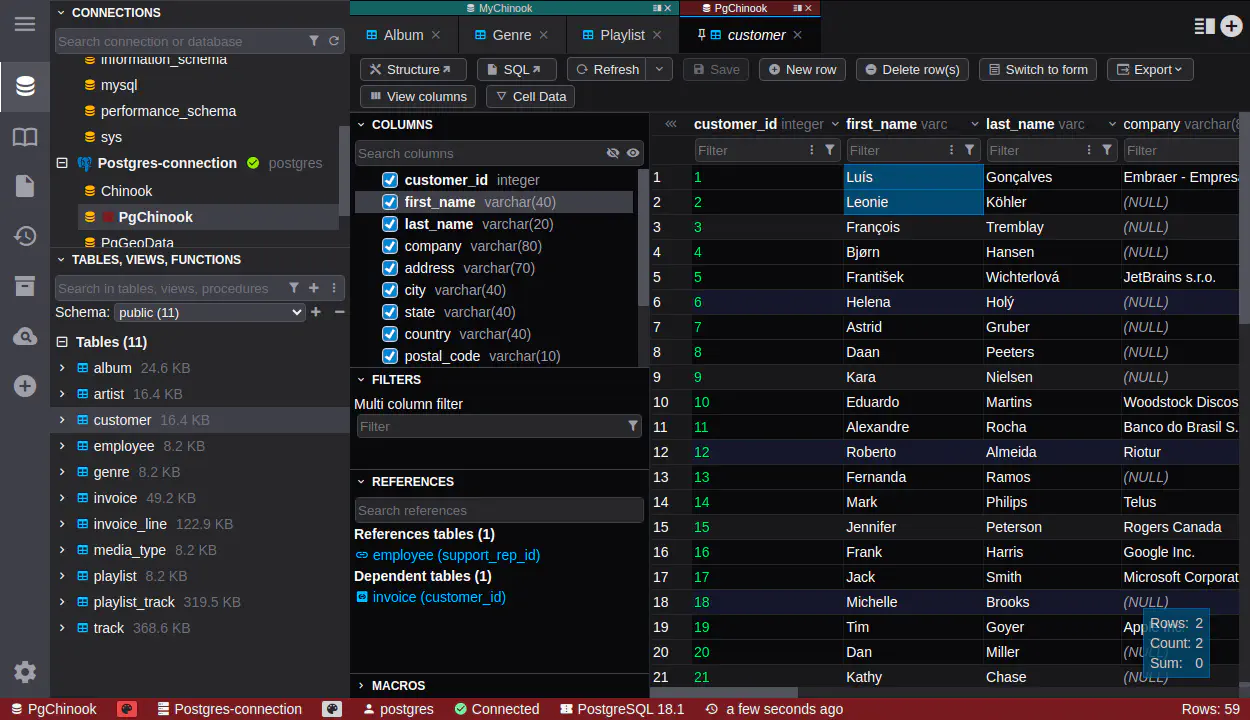
What makes DbGate better than DbVisualizer
- Cleaner UI: Modern, uncluttered interface vs. DbVisualizer’s overwhelming toolbar-heavy design.
- Web access included: Browser-based access without installation, not just desktop-only.
- Real collaboration: Co-edit queries and diagrams in real-time, share connections securely with team permissions.
- Better performance: Native implementation without Java overhead and memory bloat.
- Free tier that matters: Community edition includes web access and most features, not crippled free versions.
- Enterprise security: Built-in SSO, audit trails, Azure Managed Identity, AWS IAM, and granular access control.
- Faster updates: Regular releases with modern features, not stagnant development cycles.
Ready to get started?
Experience the power of DbGate with our comprehensive database management solution