DbGate — an easy-to-use alternative to psql
If you’re working with PostgreSQL using psql but want visual data browsing, easier query management, or collaboration features, DbGate is the perfect alternative. It’s a modern database manager that gives you all the power of psql with an intuitive GUI, web access, and team collaboration built-in.
DbGate vs psql
While psql is a powerful command-line tool for PostgreSQL, DbGate adds a visual layer that makes many database tasks faster and more intuitive. You still get full SQL capabilities, but with additional features that save time and reduce errors:
- Visual data browsing — Browse and edit table data in a spreadsheet-like interface without writing SELECT queries
- Point-and-click schema management — Modify tables, columns, indexes, and constraints visually
- Easy import and export — Import CSV, JSON, Excel files or export data with a few clicks
- Query history and bookmarks — Never lose your SQL queries again — they’re automatically saved and searchable
- ER diagram generation — Visualize your database schema and relationships automatically
- Web and desktop access — Work from a browser or native app, whatever fits your workflow
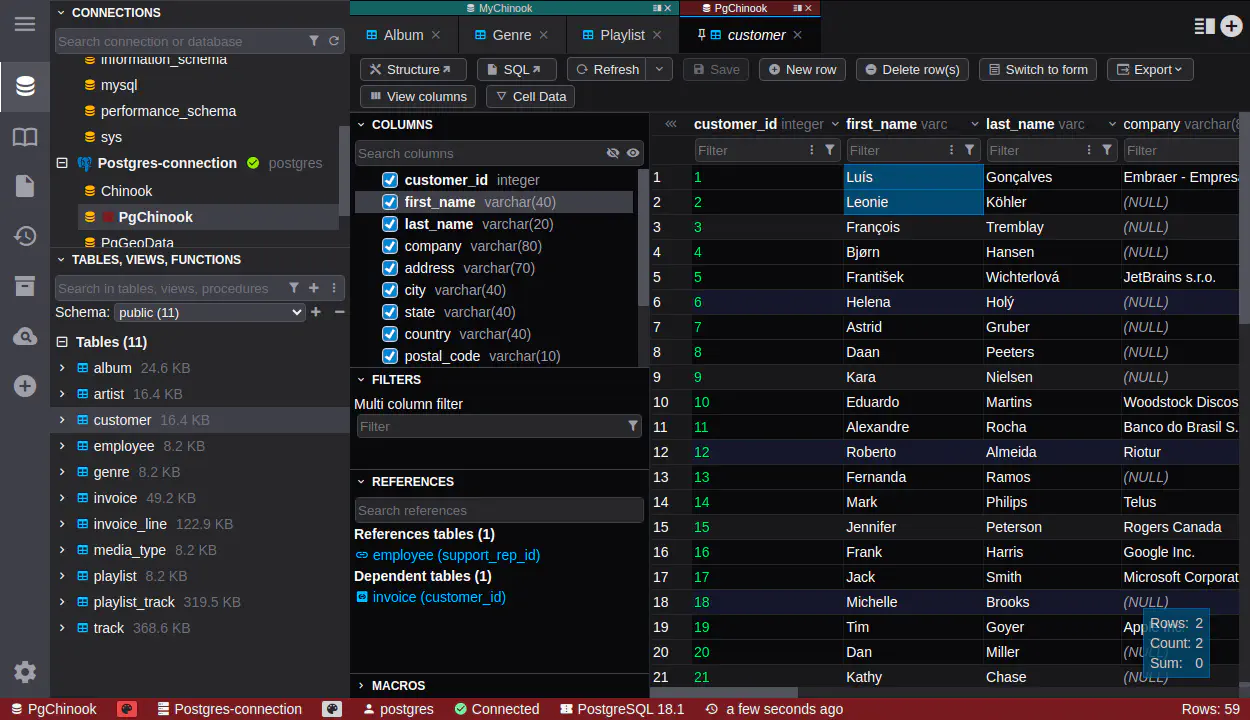
Why developers choose DbGate over psql
When datasets get bigger. Visual data grids make it easier to browse large tables, filter records, and spot patterns that are hard to see in psql’s text output.
When queries get complex. SQL autocomplete, syntax highlighting, and the ability to keep multiple query tabs open make writing and debugging queries faster.
When working with teams. Share connections, collaborate on queries in real-time, and manage who has access to what — not possible with isolated command-line sessions.
When you need more than PostgreSQL. DbGate works with PostgreSQL, MySQL, SQL Server, Oracle, MongoDB, Redis, and more — all with the same familiar interface.
When you want web access. Access your databases from anywhere with a browser, without SSH tunnels or VPN configuration — even in the Free Community edition.
What makes DbGate better than psql
- Visual interface: Browse and edit data without writing SQL for every operation.
- Multi-database support: Work with PostgreSQL, MySQL, SQL Server, MongoDB, and more — not just PostgreSQL.
- Query management: Automatic query history, bookmarks, and saved queries — no more text files scattered everywhere.
- Team collaboration: Real-time co-editing, secure connection sharing, and role-based permissions.
- Web and desktop: Native apps (Win/macOS/Linux) and browser-based access — work from anywhere.
- Schema visualization: Auto-generated ER diagrams show relationships and structure at a glance.
- Data import/export: Easy wizards for CSV, JSON, Excel — no need to write COPY commands.
- Enterprise security: SSO, audit logs, Azure Managed Identity, AWS IAM integration.
When psql still makes sense
Even with modern GUIs available, many developers still use psql for quick tasks, scripting, or because they’ve memorized the commands. And that’s fine — psql is powerful and fast for certain workflows.
But when you’re working with large production databases, exploring unfamiliar schemas, or collaborating with a team, a modern GUI like DbGate makes the work significantly easier. You don’t have to choose one or the other — many developers use both, picking the right tool for each situation.
The reason DbGate works well is that it doesn’t have the steep learning curve or confusing interface of older database tools. It just works, with a clean, modern UI that feels natural to use.
Ready to get started?
Experience the power of DbGate with our comprehensive database management solution