DbGate — an easy-to-use alternative to TablePlus
If you’re using TablePlus but need web access, team collaboration features, or want to avoid subscription costs, DbGate is the perfect alternative. It’s a modern SQL & NoSQL database manager with both desktop and web interfaces, powerful collaboration tools, and enterprise-grade features.
Why teams choose DbGate over TablePlus
Desktop and Web flexibility. While TablePlus only offers desktop apps, DbGate provides both native desktop applications (Win/macOS/Linux) and a browser-based Web UI — even in the Free Community edition. Access your databases from anywhere without VPN or SSH tunneling.
True team collaboration. Real-time co-editing of queries and ER diagrams, secure connection sharing with role-based permissions, and centralized query libraries. Work together as a team, not just as isolated users.
Fully-featured free tier. DbGate’s Community edition includes web access, all database support, and core features without artificial limitations. No need to pay for basic functionality or worry about trial periods expiring.
Enterprise security and governance. Built-in Single Sign-On (OAuth2/OIDC), external identity providers, Azure Managed Identity, AWS IAM, comprehensive audit logs, and granular access control for organizations that need compliance.
Flexible deployment options. Run on desktops, self-host with Docker, or choose fully managed Azure or AWS Editions with automatic scaling and updates — same features, different operational models.
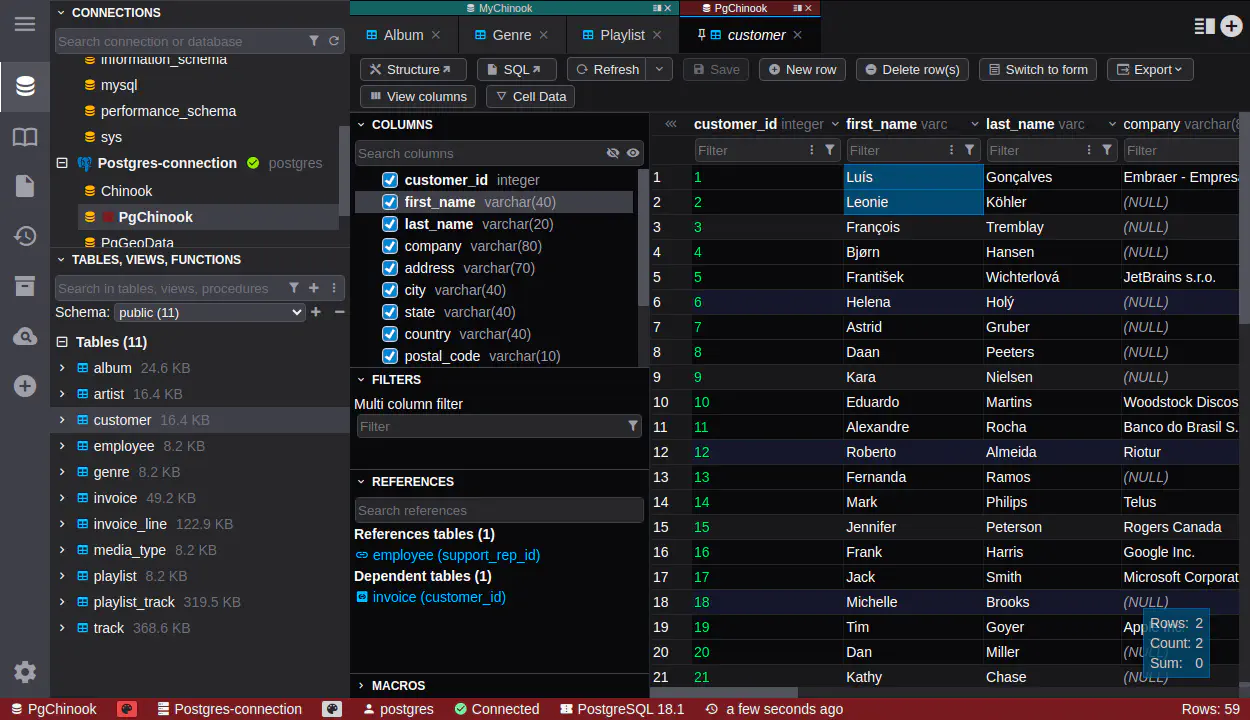
What makes DbGate better than TablePlus
- Web access included: Browser-based access without installation — not limited to desktop-only apps.
- Real collaboration: Co-edit queries and diagrams in real-time with your team, share connections securely.
- Better free tier: Community edition includes full database support and web access, not restricted trial versions.
- Enterprise features: SSO, audit trails, role-based access control, and cloud identity integration built-in.
- Self-hosting option: Deploy on your own infrastructure with Docker, not limited to SaaS or desktop installs.
- Advanced schema tools: Comprehensive schema compare and sync across databases.
- Query history sync: Automatic cloud sync of query history and saved queries across devices.
- No subscription lock-in: Choose between free Community edition, one-time Premium license, or flexible Enterprise plans.
Feature comparison
Interface & Performance Both DbGate and TablePlus offer modern, fast interfaces. TablePlus has a distinctive native feel, while DbGate provides consistency across desktop and web with equally responsive performance.
Database Support Both support major SQL databases (PostgreSQL, MySQL, SQL Server, Oracle) and NoSQL options (MongoDB, Redis). DbGate additionally includes embedded OLAP database DuckDB, Azure CosmosDB and other cloud-native databases.
Collaboration DbGate excels here with real-time co-editing, centralized connection management, and team permissions. TablePlus primarily focuses on individual productivity with basic connection export/import.
Pricing & Licensing DbGate offers a comprehensive free Community edition plus affordable Premium and Enterprise options. TablePlus requires a paid license for full features, with time-limited trials.
Ready to get started?
Experience the power of DbGate with our comprehensive database management solution