API Endpoints
DbGate extends beyond traditional databases to support API endpoints, allowing you to interact with REST APIs, GraphQL services, and oData endpoints using the same familiar interface. This Premium feature transforms DbGate into a universal data client for both databases and APIs.
GraphQL Connections
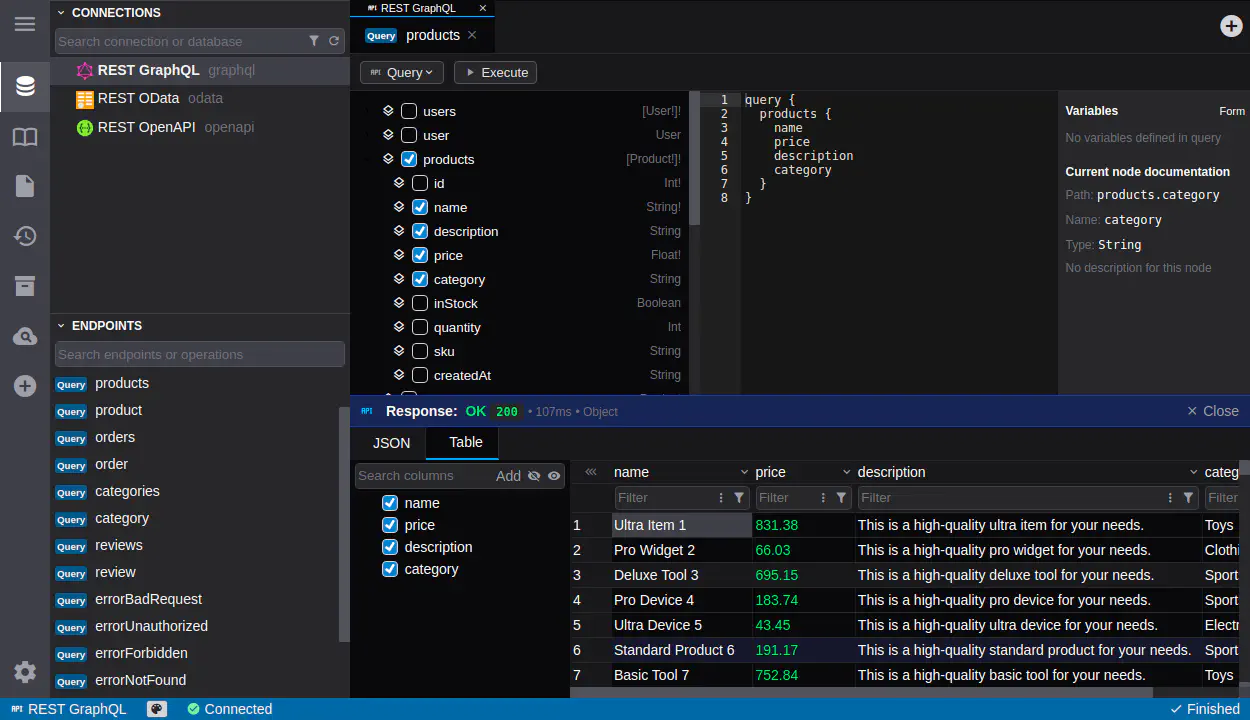
Connect to GraphQL APIs - establish connections to any GraphQL endpoint for querying and mutations
Schema introspection - automatically discover and browse GraphQL schemas, types, and available operations
Query editor - write and execute GraphQL queries, with GraphQL explorer for easy selection of fields and arguments
Variables support - define and use variables in your GraphQL queries for flexible data retrieval
Mutation execution - perform data modifications through GraphQL mutations
Response viewer - view formatted JSON responses with expandable tree structure for easy analysis
Relay support - work with Relay-compliant GraphQL APIs, including support for connections
OpenAPI (Swagger) Connections
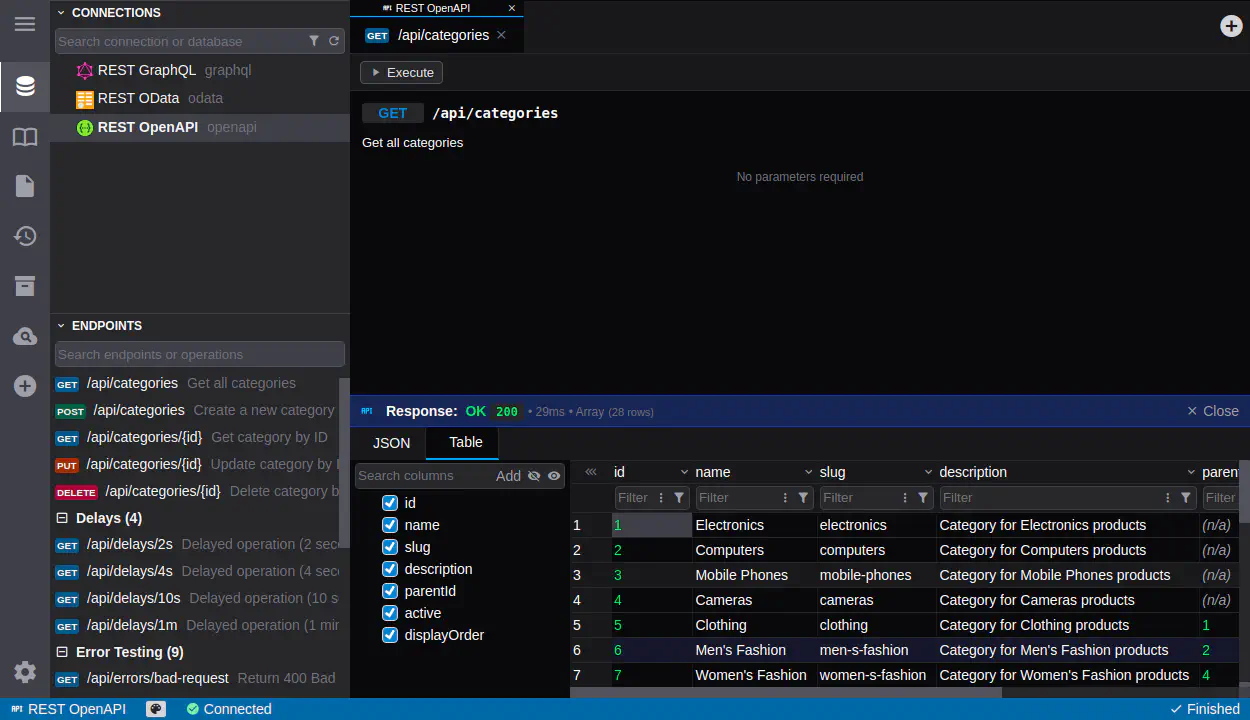
Swagger/OpenAPI support - connect to REST APIs with OpenAPI specifications (v2 and v3)
API documentation browser - explore API endpoints, parameters, and response schemas from OpenAPI definitions
Request building - construct HTTP requests with proper parameters, headers, and body content
Multiple HTTP methods - execute GET, POST, PUT, DELETE, PATCH operations on API endpoints
Response inspection - view response status, headers, and body with formatted JSON or tabular display
Test endpoints - quickly test API endpoints and validate responses
oData Services
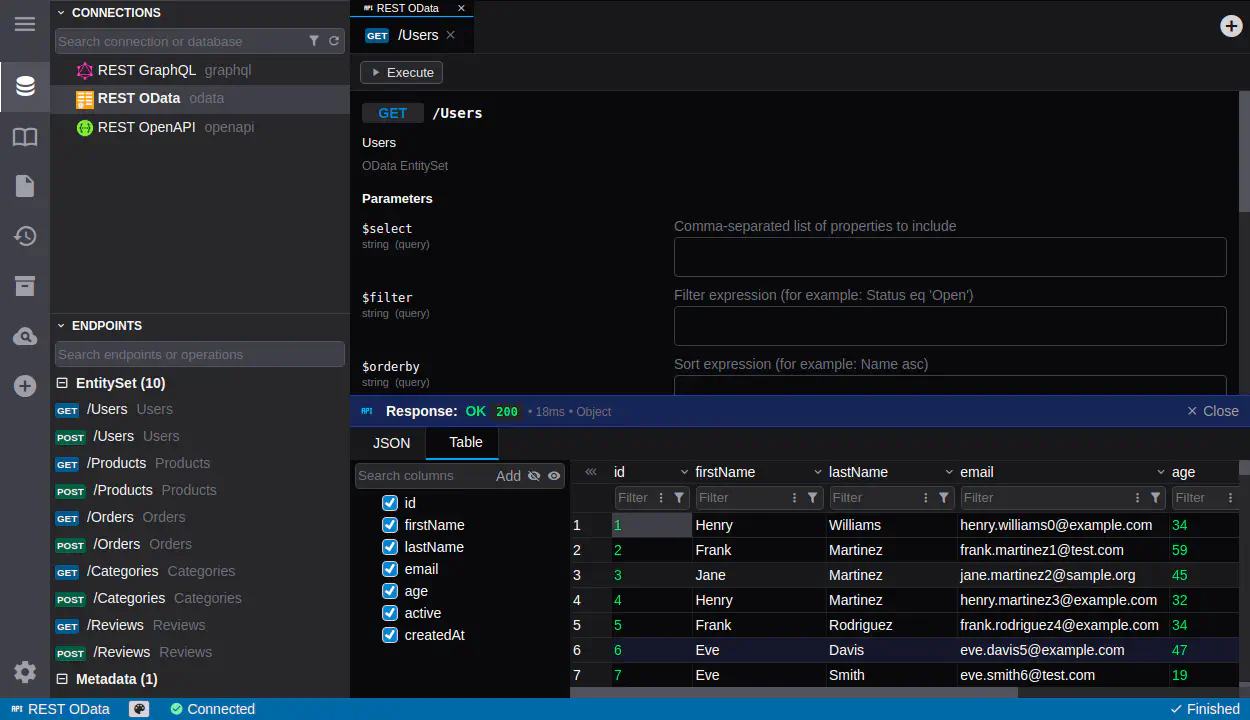
oData endpoint support - connect to OData services and browse available entity sets
Metadata exploration - view service metadata including entity types, properties, and relationships
Query execution - execute OData queries using standard OData query syntax
Filter and expand - use $filter, $expand, $select and other OData query options
Unified data access
Authentication support - all API connections support authentication methods including API keys, Bearer tokens, and basic auth
Consistent interface - use the same DbGate interface for APIs that you use for databases
Data export - export API responses to CSV, JSON, Excel, and other formats
Use tabbed interface - requests are opened in tabs, remembering parameter values
Query history - access previously executed API requests from history
Multi-source data - combine data from databases and APIs in a single workspace