Version 6.7.2 - Settings redesigned
Published: 2025-12-03
We are pleased to announce the release of DbGate version 6.7.2, which brings a redesigned settings interface along with several fixes and improvements, particularly for PostgreSQL support.
Settings Redesign
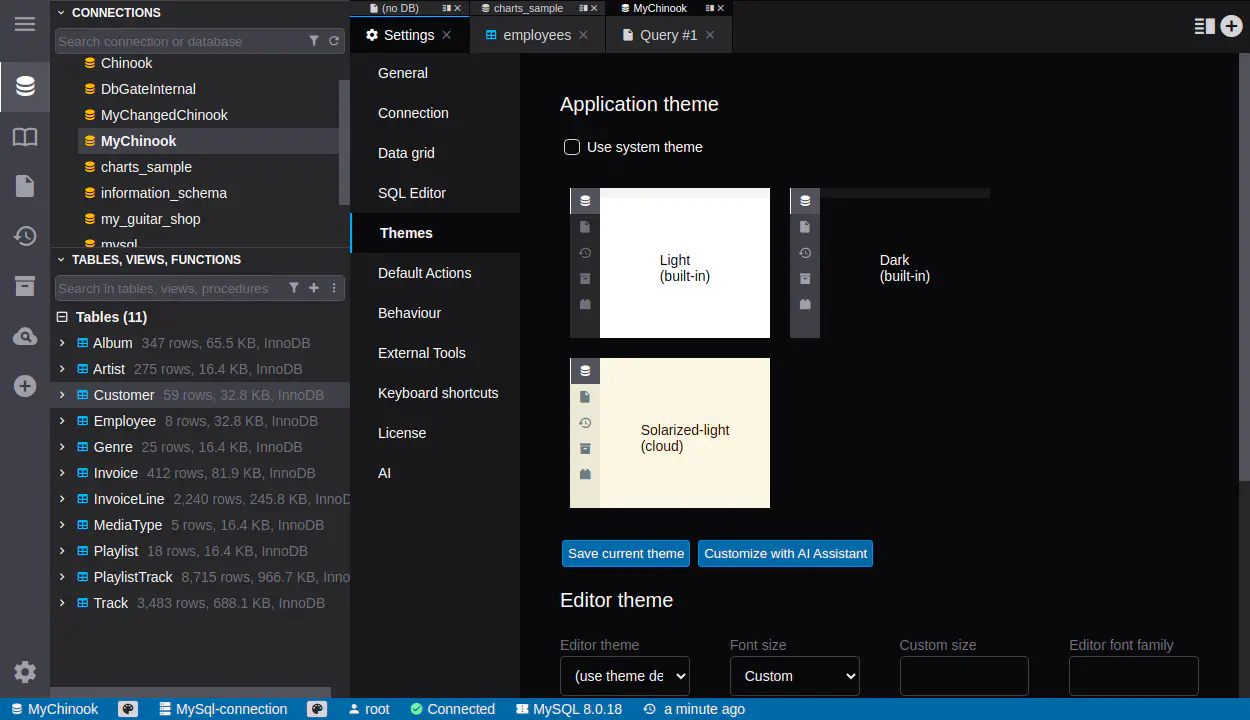
In version 6.7.2, we have revamped the settings interface to enhance user experience. The settings are now opened in a tab instead of a modal dialog, similar to the interface in VSCode. This change allows for easier navigation and a more streamlined workflow when adjusting settings.
This has also one positive side effect, when you want to change language, it is just question of one click to open settings tab, language selector is on top of the list.
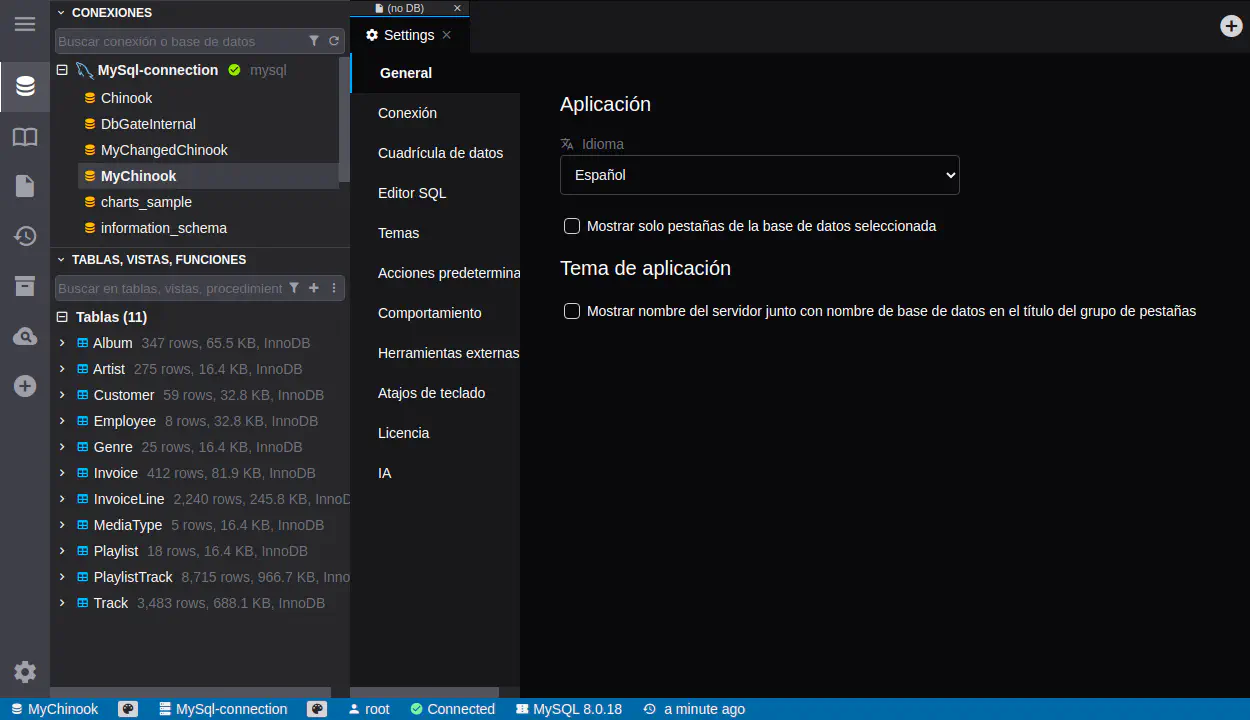
Table backups improvements
We have improved the processing of table backups. This funcionality could be used, when you want to make some dangeroues operations on table data and you want to be able to restore previous state of data. Unlike full database backups, table backups are stored in the database itself as regular tables, it is more lightweight and easier to manage.
Backup process is the same as in previous version - right lick on table, “Create table backup”. But now backups are better managed, and you can generate table restore SQL script directly from backup list. This restore script includes UPDATE, DELET and INSERT statements to restore table data from backup.
PostgreSQL improvements
We have made several improvements to PostgreSQL support in this release. There are some design changes in PostgreSQL analyser, this feature is more robust, some notorious probles With PostgreSQL are fixed now. Also there is huge performance improvement, for larger databases with many tables, the loading is now much faster. Additionally, users now have more control over how to refresh the database structure, with options to disconnect or reconnect as needed.
Complete changelog after version 6.7.0
6.7.2
- CHANGED: Settings modal redesign - now is settings opened in tab instead of modal, similarily as in VSCode
- FIXED: Fixed search in table shortcuts #1273
- CHANGED: Improved foreign key editor UX
- FIXED: Fixed incremental DB structure refresh for PostgreSQL, optimalized slow loading primary keys in PostgreSQL
- CHANGED: You could now choose, how to refresh structure, added ability to disconnect or reconnect
- ADDED: Better processing of table backups, generate table restore script #1274
- CHANGED: Improved storage of settings, especially for Team Premium edition
6.7.1
- ADDED: LANGUAGE environment variable for the web version. #1266
- ADDED: New localizations (Italian, Portugese (Brazil), Japanese)
- ADDED: Option to detect language from browser settings in web version
- FIXED: Check updates option no longer available in 6.7.0 #1263
- FIXED: A MERGE statement must be terminated by a semi-colon (;), but dbgate stripped it. #1257
- ADDED: Show table size #552
- ADDED: Sort tables by size and by row count
- ADDED: Connect to Legacy MongoDB (Premium) #540
- FIXED: Fixed problems in saving team files in Team Premium edition
- CHANGED: Files are by default saved to team folders in Team Premium edition
- ADDED: Other files types supported in Team Premium edition (diagrams, query design, perspectives, import/export jobs, shell scripts, database compare jobs)