Version 6.8.0 - form view in cell viewer
Published: 2025-12-17
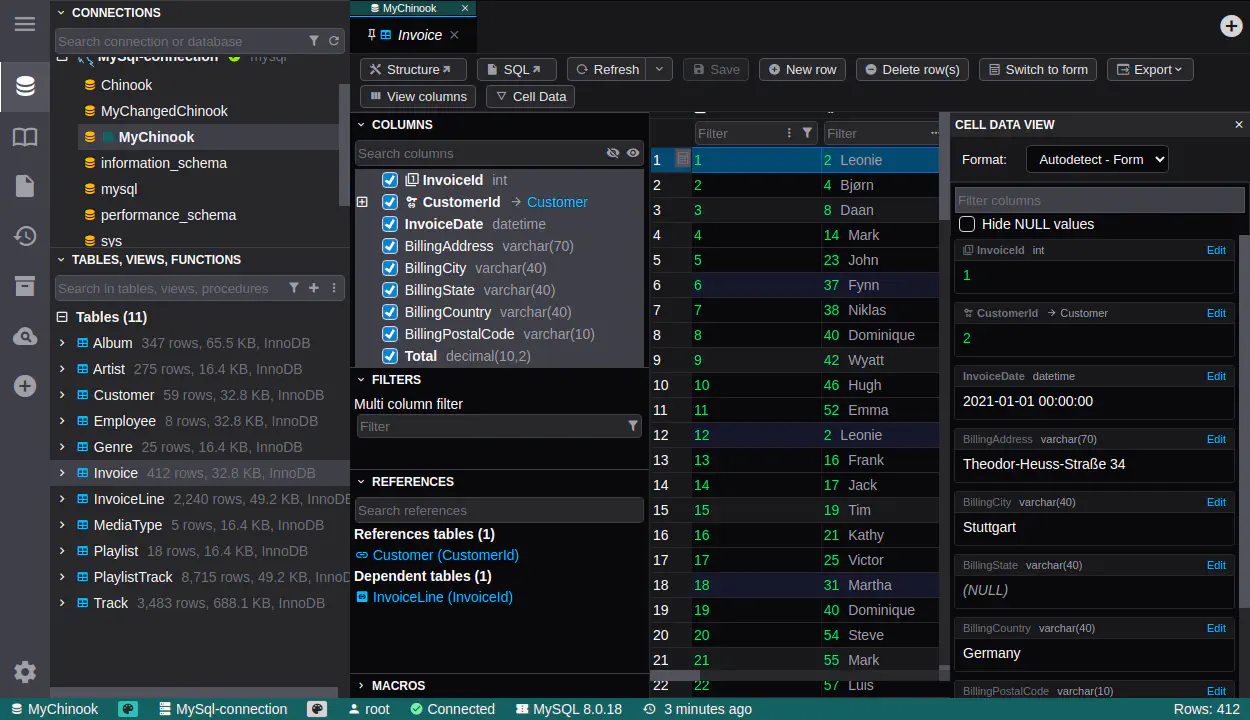
We are proud to announce the release of DbGate version 6.8.2, which brings several important improvements and new features. One of the highlights of this release is the enhanced cell viewer, with form view support.
Cell viewer improvements (Community)
The newest version brings significant enhancements to the cell viewer functionality. Cell viewer is now part if data grid component, so it is more integrated and easier to use. There is also toolbar button “Cell data” inoking the cell viewer.
There is a now form view available in cell viewer, with support of multi-value bulk editing and column filtering. Great thanks to David Pivoňka for implementing initial version of this feature!
You could active form cell view also by clicking header row. The data grid component has also improved keyboard navigation, so you could activate form cell view using keyboard only.
Better macros accesibility (Premium)
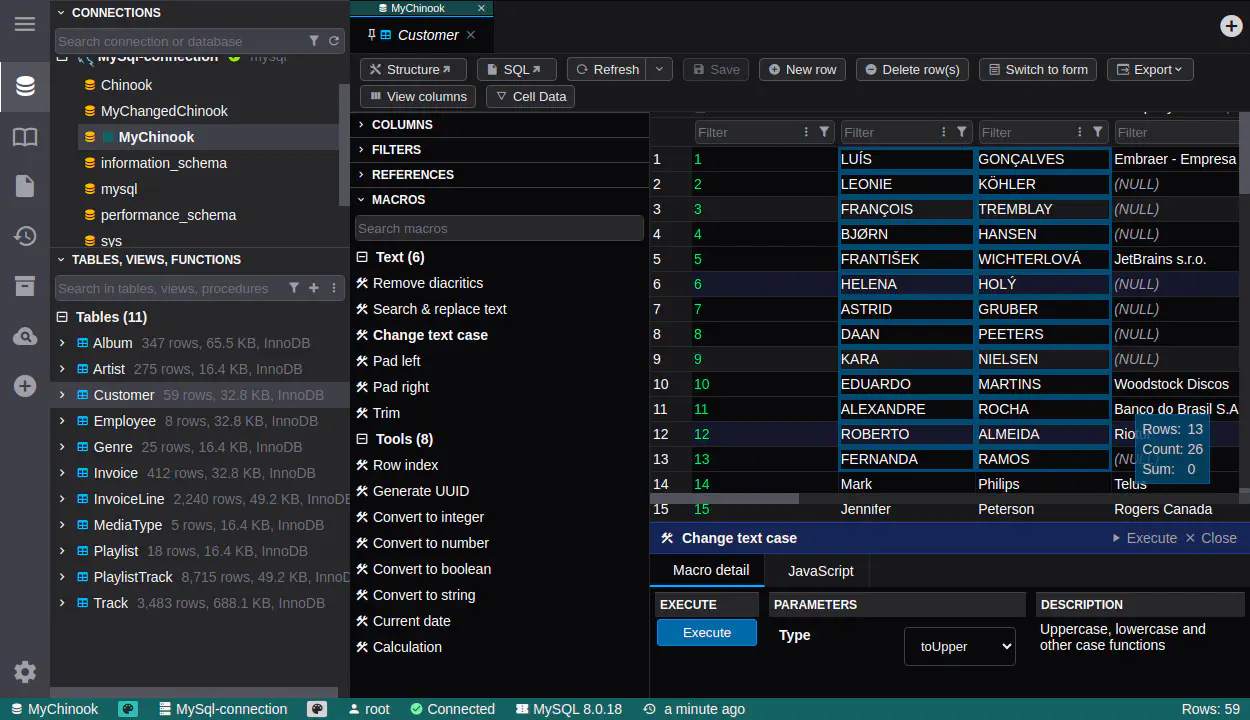
In DbGate Premium edition, macros are now more accessible. There is a new context menu item “Run macro” in data grid, allowing you to quickly execute macros available for selected data. There are also fixed some problems with macro listing.
Macros are used for modifying data in grid. Some of macros are:
- Generate UUID
- Convert to upper case/lower case
- Set current date/time
- Custom calculations using JavaScript
Changed availability of Advanced export/import (Community)
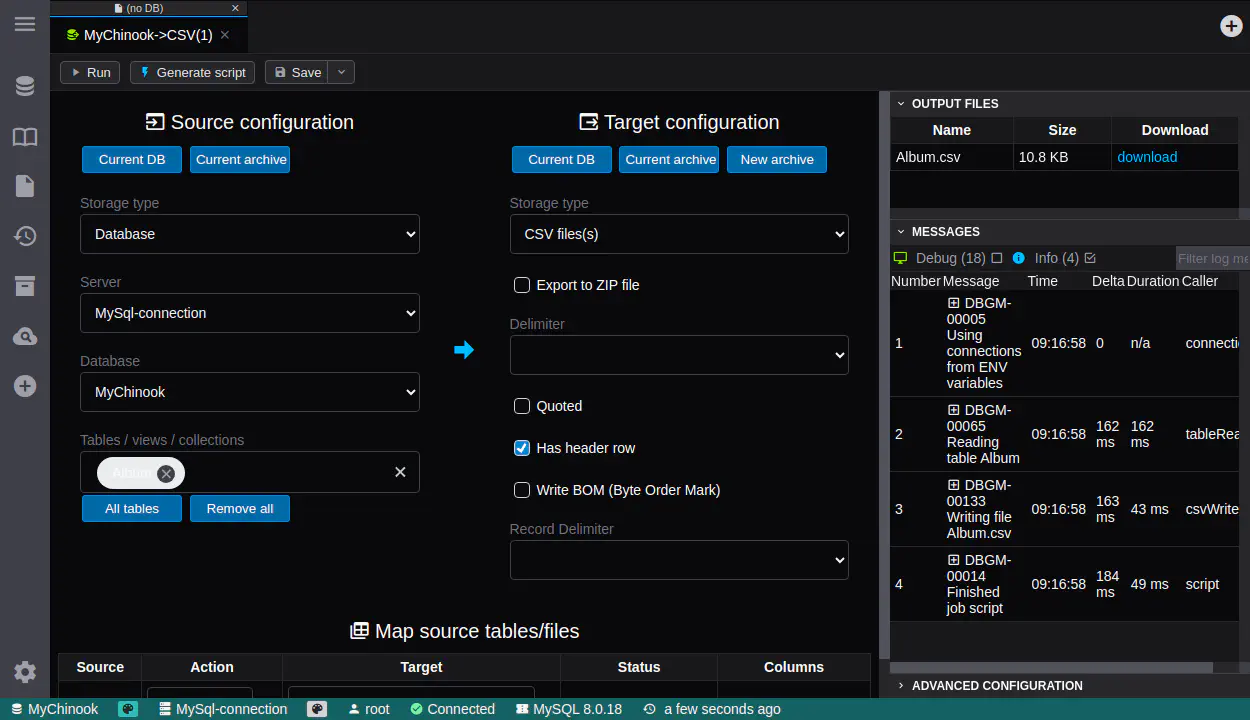
The Advanced export/import feature is now part of the Community edition of DbGate. This ensures more consistent user experience when working with data export and import tasks in Community edition.
However, some advanced features of export/import remain exclusive to Premium and Team Premium editions. Saving import and export jobs is still available only in paid editions. But you could generate JavaScript code for saved jobs in Community edition.
Data archives (Premium) allows you to store data from tables into local JSONL files. You could edit them and later import them back to different database. This feature is useful for archiving old data or transferring data between databases.
| Feature | Community | Premium | Team Premium |
|---|---|---|---|
| Advanced export | yes | yes | yes |
| Save export jobs | no | yes | yes |
| Generate JavaScript code for jobs | yes | yes | yes |
| Export into ZIP files | no | yes | yes |
| Data archive widget | no | yes | yes |
Configure Team Premium via environment variables
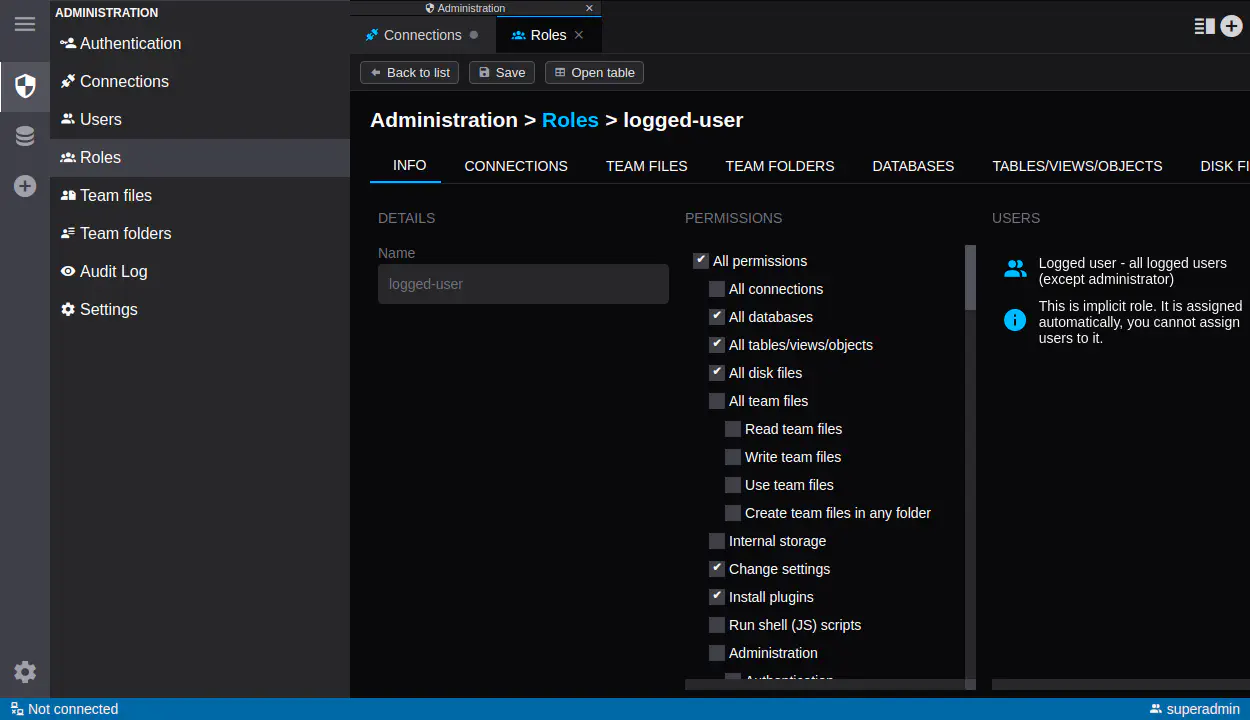
DbGate Team Premium uses database storage for connection and roles management. In version 6.8.0, we have added support for configuring connection and role settings via environment variables. The syntax is the same as in Community edition, allowing for easier automation and configuration management. In fact, connection and roles are imported from environment variables on docker container startup. You could still manage them via UI, but connections and roles imported from environment variables are read-only in UI.
Complete changelog after version 6.7.2
6.8.0
- ADDED: Form cell view for detailed data inspection and editing in data grids, with multi-row bulk editing support
- CHANGED: Cell data sidebar moved to right side, now is part of data grid
- FIXED: Improved widget resizing algorithm
- FIXED: Word wrap feature in SQL editor
- CHANGED: Data grid keyboard navigation improvements
- CHANGED: Improved PostgreSQL decimal type support in data grid #1214
- ADDED: Retrieve number of databases from Redis configuration #1278
- ADDED: Run macro context menu (Premium)
- ADDED: Support for skip update columns in replicator
- FIXED: UTF-8 BOM handling in CSV input
- CHANGED: Advanced export is now part of Community edition
- FIXED: SQLite foreign key constraint types
- FIXED: Double drop constraint issue
- CHANGED: Improved map view lat/lon field autodetection
- FIXED: Alter table operations and constraint sanitization
- ADDED: Import connections from environment variables (Team Premium)
6.7.3
- FIXED: Fixed problem in analyser core - in PostgreSQL, after dropping table, dropped table still appeared in structure
- FIXED: PostgreSQL numeric columns do not align right #1254
- ADDED: Custom thousands separator #1213