Version 7.0.0 - new user interface
Published: 2026-01-22
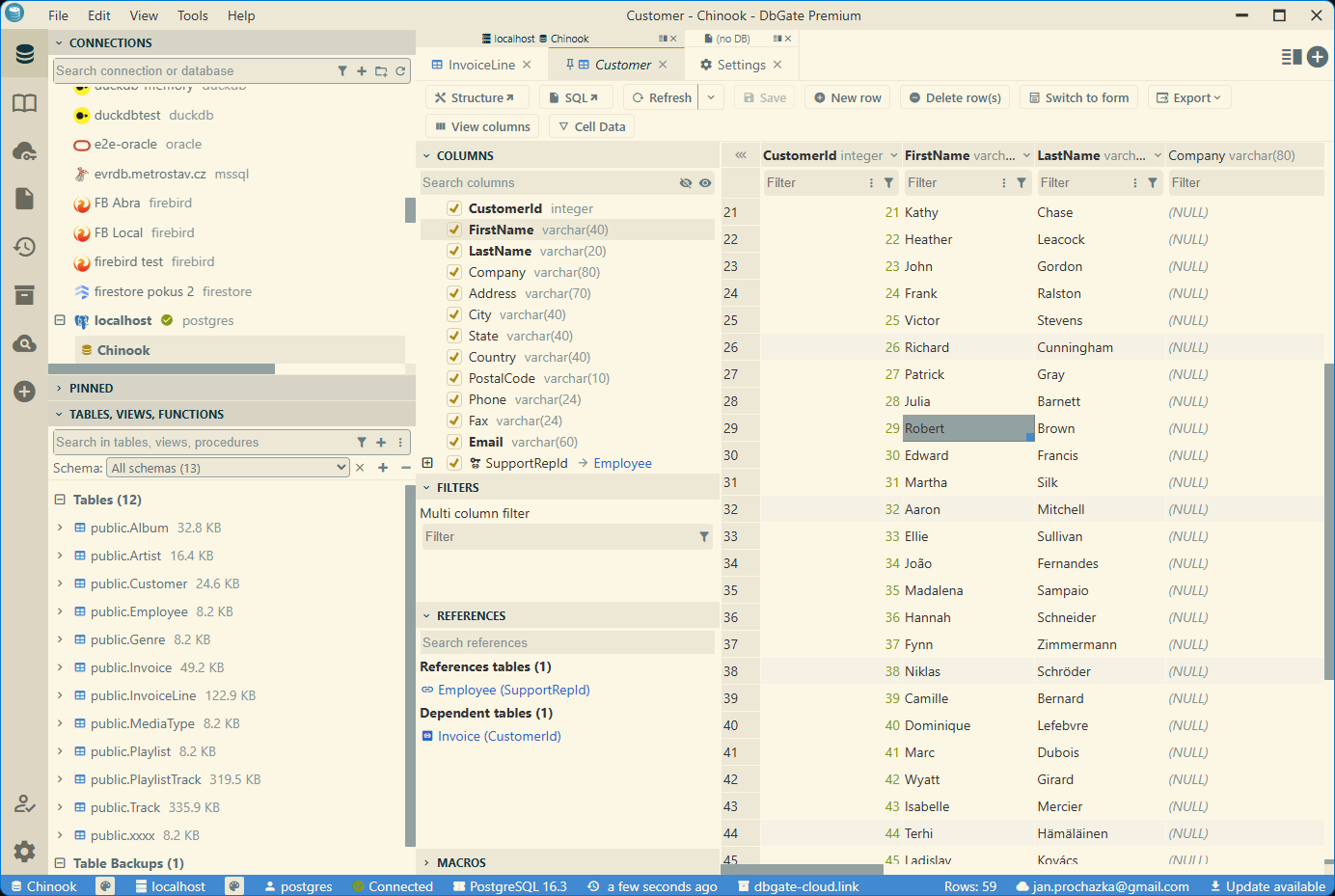
I am happy to announce the release of DbGate version 7.0.0. Last major release 6.0.0 was release more than two years ago, so this is a big milestone for DbGate. The biggest change in this release is completely new user interface with theme support. There are also huge improvements of Redis support.
New user interface and theme system
DbGate 7.0.0 introduces a completely new theme user interface with a modern look and feel. The new theme system allows users to customize the appearance of the application to suit their preferences. Users can create their own themes using JSON files, and share them via DbGate Cloud.
The new theme system used different approach than previous custom themes implemented as plugins. Custom themes are no longer part of plugins, but are defined in JSON files. This makes it easier to create and share themes.
Documentation of custom themes
Theme AI assistant (Premium)
DbGate Premium edition includes a new Theme AI assistant feature. This feature allows users to create custom themes using AI. Users can describe their desired theme in natural language, and the AI assistant will generate a theme based on the description. You could also modify generated theme, just by describing the changes you want to make.
Redis support
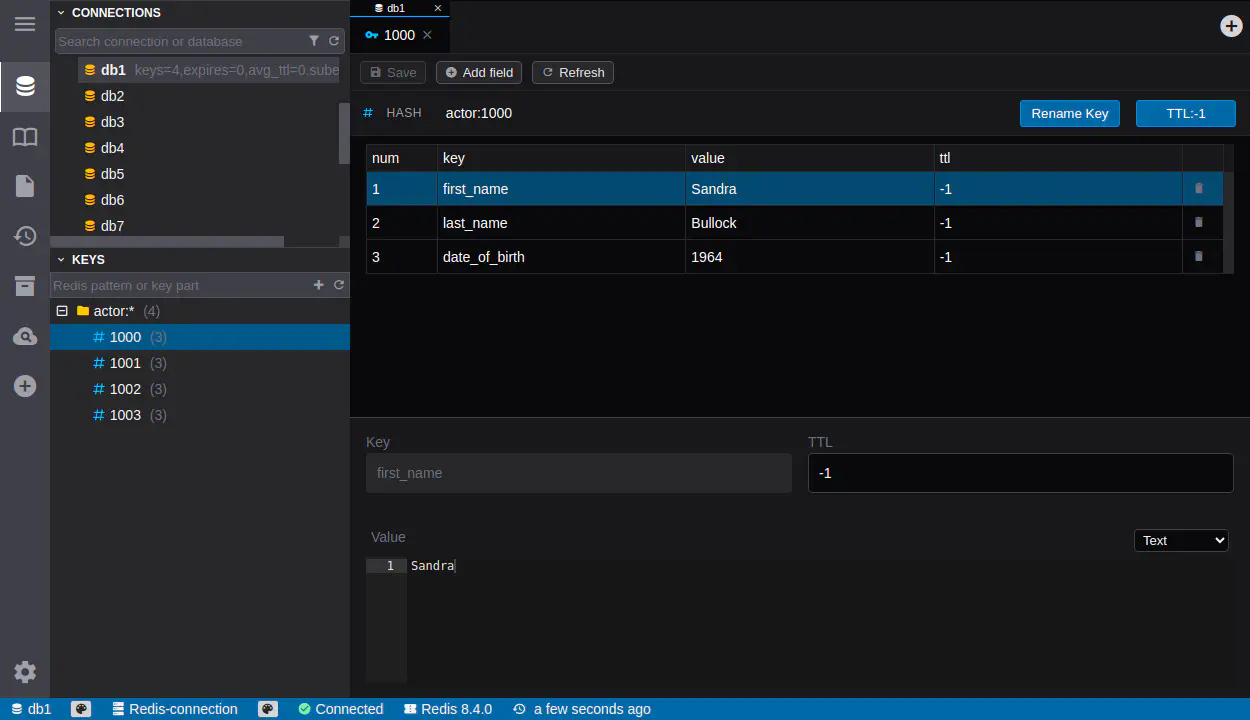
DbGate is known for its excellent support for SQL databases. In this release, we have made huge improvements to Redis support. DbGate now supports Redis JSON and Stream types, allowing users to work with these data types more easily. Also we added possibility to edit Redis values directly in the application, including Strings, Hashes, Lists, Sets, Sorted Sets, JSON, and Streams.
More about Redis client in DbGate
Team folders (Team Premium)
DbGate Team Premium edition now supports Team Folders. Team Folders are excellent for organizing files (eg. SQL files, diagrams) shared among team members. In recent versions, permissions were defined on individual files, which could become cumbersome as the number of files grew. With Team Folders, you can set permissions at the folder level, making it easier to manage access for multiple files at once.
Complete changelog after version 6.8.0
7.0.0
- CHANGED: New design of application, new theme system
- ADDED: Theme AI assistant - create custom themes using AI (Premium)
- CHANGED: Themes are now defined in JSON files, custom themes could be shared via DbGate Cloud
- REMOVED: Custom themes are no longer part of plugins
- CHANGED: Huge improvements of Redis support
- ADDED: Support for Redis JSON and Stream types
- ADDED: Editing Redis values (Strings, Hashes, Lists, Sets, Sorted Sets, JSON, Streams)
- ADDED: Support for Team Folders (Team Premium)
- CHANGED: Upgraded Svelte to version 4
- ADDED: Differentiate pinned database with same name #1306
- ADDED: Database icons/logos for faster visual recognition #1222
6.8.2
- FIXED: Initialize storage database from envoronment variables failed with PostgreSQL
6.8.1
- FIXED: Won’t navigate to the relevant field on click of a field in columns #1303