Introducing DbGate Lite - Database Management in Your Browser
Published: 2026-02-25
We are excited to announce DbGate Lite - an experimental tool developed by the DbGate research team. It’s a completely in-browser version of DbGate that runs entirely in your browser without requiring any backend infrastructure. Access it at lite.dbgate.io.
What is DbGate Lite?
DbGate Lite explores a novel approach to database management. Unlike traditional database tools that require installation or server-side components, DbGate Lite runs entirely in your browser using cutting-edge web technologies. This experimental tool lets you work with databases from anywhere, on any device with a modern web browser, with zero setup required, while solving several interesting use-cases.
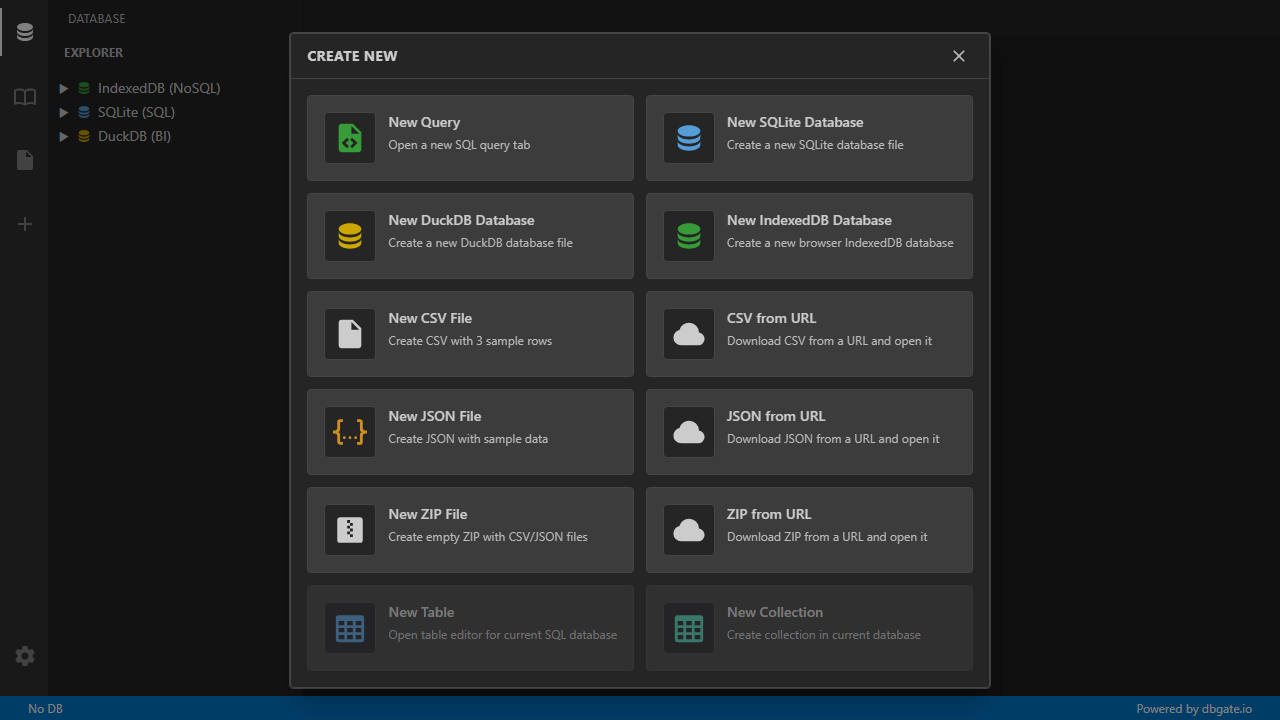
Supported Database Engines
DbGate Lite currently supports powerful database engines:
- SQLite - The world’s most widely deployed database engine, now directly in your browser via FileSystem API
- DuckDB - High-performance analytical database engine for OLAP workloads (“SQLite for analytics”)
- IndexedDB - Native browser storage for web applications
All databases run locally in your browser with full SQL support, ensuring your data never leaves your machine.
Key Features
Working with SQLite Databases
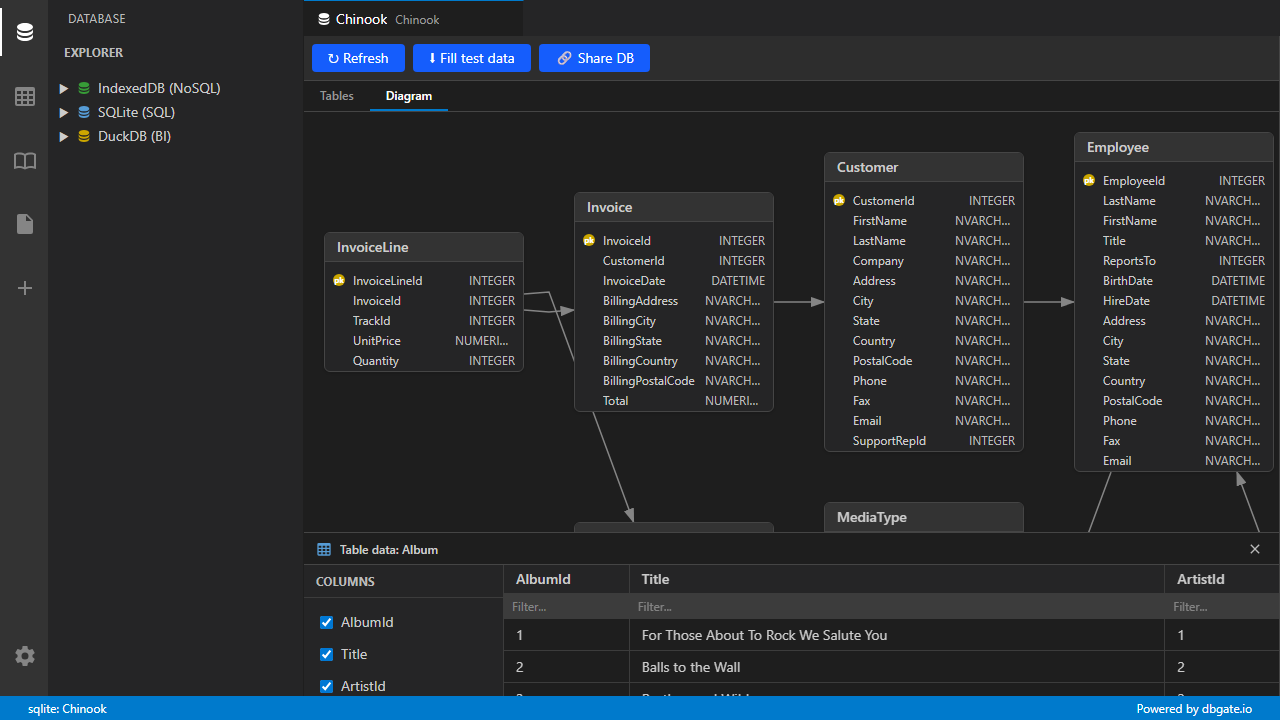
Open and explore SQLite databases directly in your browser. Load existing .db files from your computer and explore database structure with automatically generated entity-relationship diagrams (ERD) showing table relationships, foreign keys, and complete schema visualization.
DuckDB Analytics Engine
Work with DuckDB, the high-performance analytical database engine. Analyze data with DuckDB’s powerful SQL capabilities, exploring OLAP workloads and data analytics tasks directly in your browser.
Business Intelligence & Reports
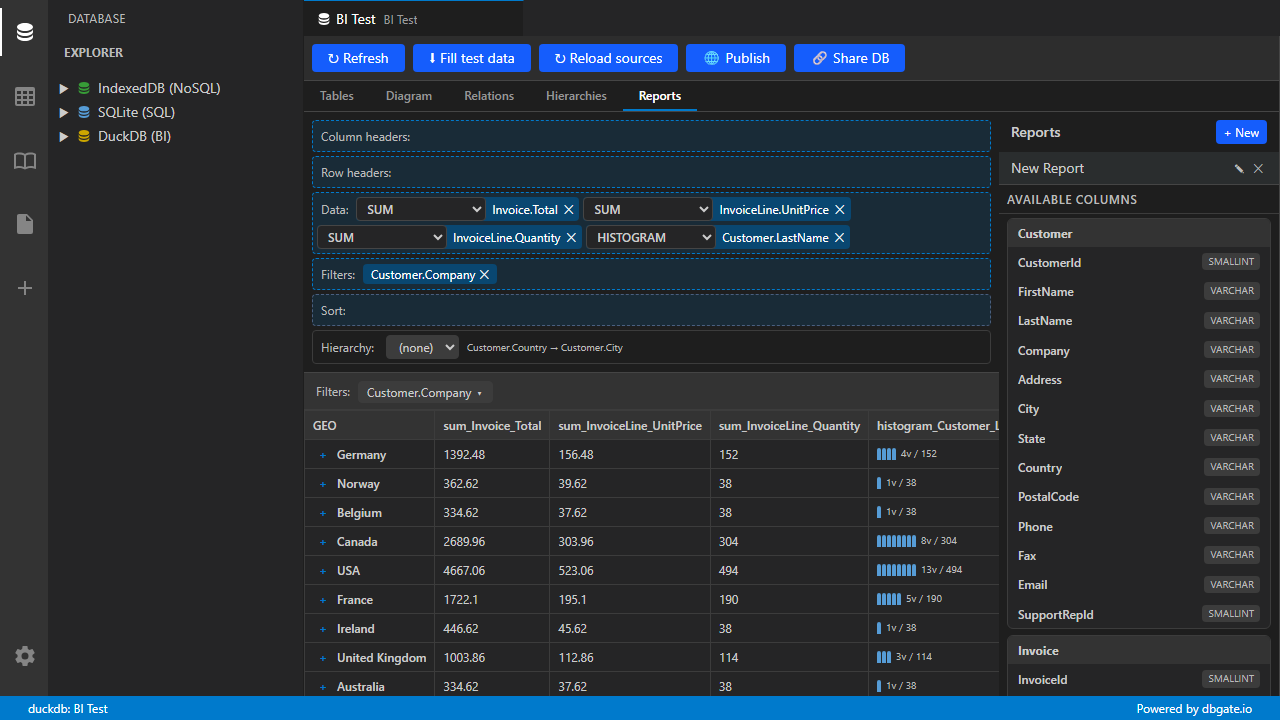
Create sophisticated BI reports with grouping, aggregations, and visualizations. DbGate Lite includes powerful built-in BI features that let you analyze data with column grouping, sum calculations, and histogram visualizations - all without writing complex SQL.
Publish and share your reports with interactive filters and drill-down capabilities. Make your analytics accessible to others with publish-ready reports.
Want to see a real example? Open the published report sample and explore the filters and drill-down views:
CSV and JSON Editing
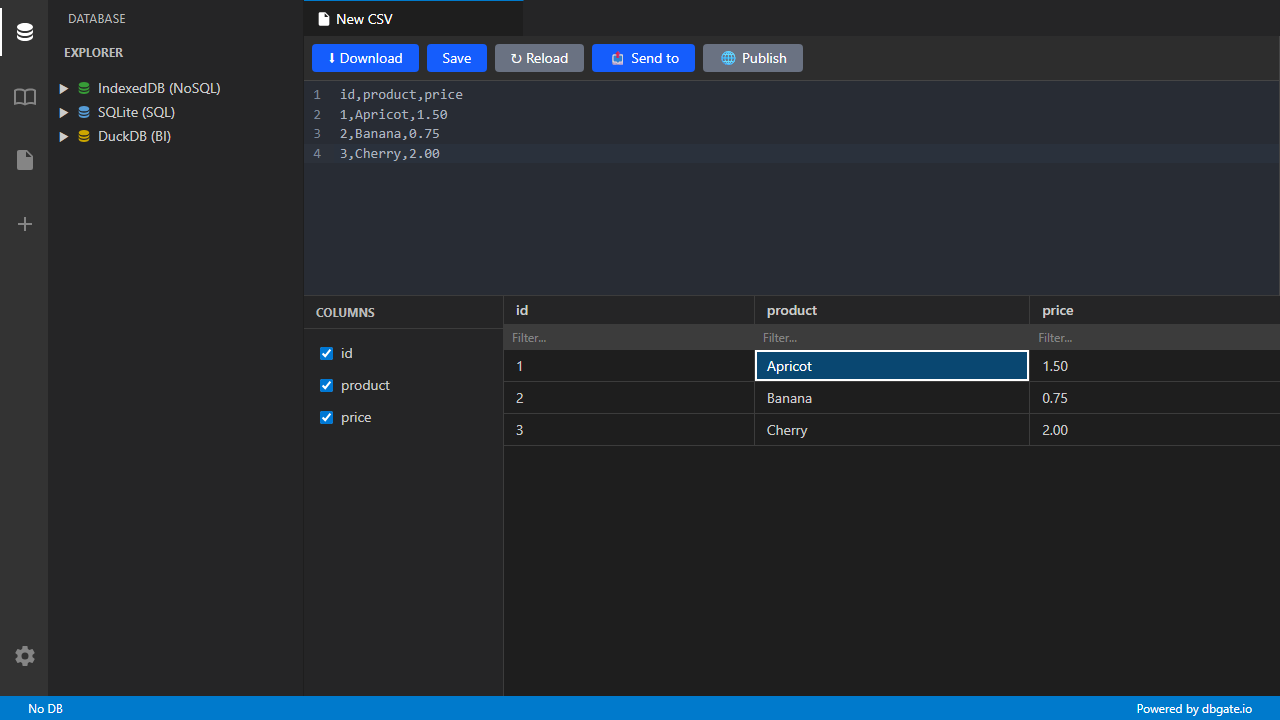
Import and work with CSV and JSON files directly in your browser. DbGate Lite provides powerful two-way editing capabilities for both formats, allowing you to view, modify, and export data seamlessly.
Getting Started
Getting started with DbGate Lite is simple:
- Visit lite.dbgate.io in your web browser
- Open existing SQLite or DuckDB database files from your computer (SQLite databases should use the .sqlite extension to be recognized)
- Explore the Chinook sample database to learn the features
- Start working with your data immediately
You can also open files by drag and drop, including SQLite, JSON, and CSV files.
The Chinook sample database contains music industry data with multiple tables, perfect for exploring SQL queries and understanding database relationships.
Use Cases
DbGate Lite is perfect for:
- Learning SQL - Practice SQL queries without installing any software
- Quick Data Analysis - Analyze CSV, JSON, SQLite, and DuckDB data in your browser
- BI Reports & Analytics - Create interactive reports and visualizations
- Educational Purposes - Teach SQL and database concepts without complex setup
- Data Privacy - Work with sensitive data that never leaves your browser
- Offline Work - Once loaded, DbGate Lite works even without internet connection
- No Backend Required - Pure browser-based solution, no server setup needed
Technical Implementation
DbGate Lite leverages modern web technologies to deliver a full-featured database management experience:
- WebAssembly (WASM) - Enables running SQLite and DuckDB at near-native speeds in the browser
- FileSystem API - Allows direct access to local files with user permission
- Service Workers - Enables offline functionality and improved performance
- Modern JavaScript - Built with the latest web standards for optimal performance
Privacy & Security
DbGate Lite processes all data locally in your browser. No data is sent to any server, ensuring complete privacy and security for your sensitive information. All database operations happen entirely on your device.
The only exception is when you download CSV or JSON files from servers, which blocks cross-origin requests by default. These requests are proxied through a CORS proxy to enable access.
Try It Now
Experience the future of database management by visiting lite.dbgate.io. No installation, no registration, no backend required - just open your browser and start working with databases immediately.