CSV editor online - how to use DbGate Lite for CSV editing in your browser
Published: 2026-02-26
We’re highlighting one of DbGate Lite’s most powerful features - CSV editing. With DbGate Lite, you can work with CSV files directly in your browser without any backend infrastructure. Whether you’re managing data exports, preparing datasets, or collaborating with spreadsheets, DbGate Lite provides a smooth, efficient editing experience.
Why Edit CSV in DbGate Lite?
CSV files are everywhere - from data exports to configuration files, reports, and data interchange formats. However, editing them in traditional spreadsheets often requires installing software or managing multiple desktop applications. DbGate Lite changes this:
- Zero Installation - Access CSV editing from any modern web browser
- No Backend Required - Your data stays on your machine with local processing
- Always Available - Work from any device without syncing or uploading
Getting Started with CSV Files
Import CSV Files
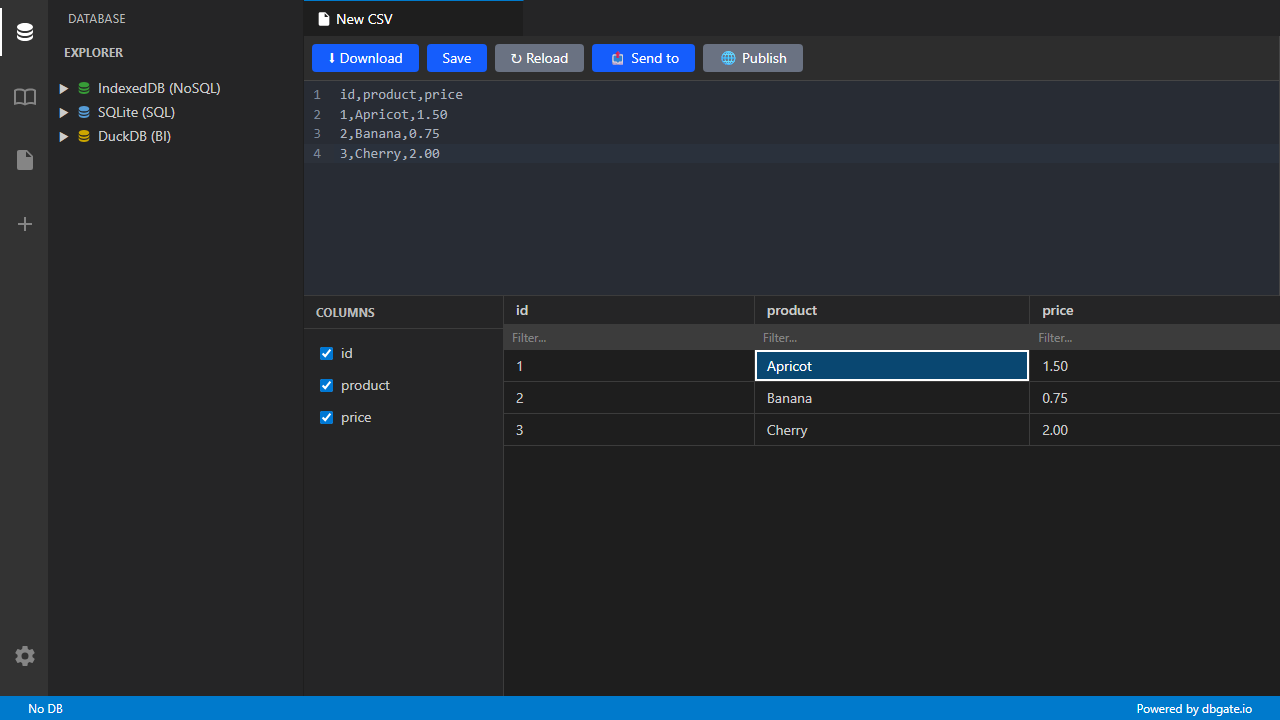
DbGate Lite makes it very easy to import CSV files. Simply upload your CSV file to the browser, and it’s instantly accessible. The tool automatically detects column headers and data types.
- Drag and drop CSV files
- Select from your computer
- Paste CSV data directly
- Download CSV file from URL
- Download ZIP file containing CSV from URL (unzip and load the CSV)
View and Edit Data
Once imported, your CSV data appears in a clean, spreadsheet-like interface. Edit individual cells, add new rows, delete data, or bulk-modify columns - just like you would in a traditional spreadsheet application.
Key editing features:
- Cell-level editing - Click any cell to modify its content
- Row operations - Add, duplicate, or delete rows with a single click
- 2-way data binding - You could edit the CSV in the data grid, and the underlying CSV data will be updated in real-time. Conversely, if you edit the raw CSV data, the changes will be reflected in the grid immediately.
Excel-like Spreadsheet Interface
DbGate Lite provides a familiar spreadsheet experience. Navigate using keyboard shortcuts (arrow keys, tab), select multiple cells, and use a responsive grid layout optimized for both desktop and tablet browsing.
Data filtering, sorting, and transformation
Analyze and organize your CSV data with powerful filtering and sorting:
- Sort ascending, descending, or by custom criteria
- Filter columns to show only rows matching specific values
Share Your Work
DbGate Lite allows you to generate shareable links with your CSV data and reports. Share read-only views with colleagues, clients, or stakeholders without requiring them to install any software.
Real-World Use Cases
Data Cleaning
Before importing CSV exports into your database, use DbGate Lite to clean and standardize the data - remove duplicates, fix formatting inconsistencies, and validate values.
Quick Analytics
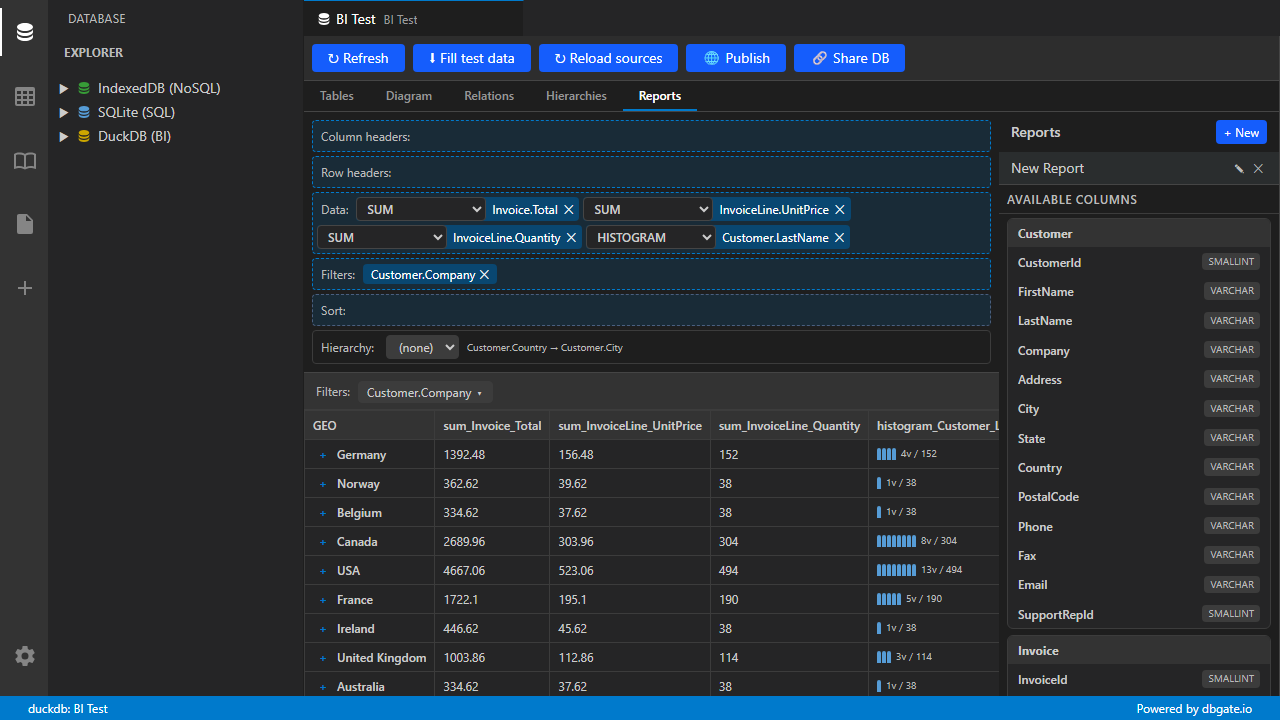
Create instant BI reports from CSV data. Use DbGate Lite’s built-in grouping and aggregation features to generate summaries, totals, and insights without writing any SQL.
BI Report sample
View BI report from 3 CSV files
This report is created from 3 CSV files:
- Customer.csv - Customer data with country and city information
- Invoice.csv - Invoice data with total amounts and unit prices
- InvoiceLine.csv - Invoice line items with quantities and prices
How to Get Started
Visit lite.dbgate.io and try CSV editing:
- Open DbGate Lite in your web browser
- Drag a file onto the interface
- Or click to download CSV file from URL
- Edit your data using the spreadsheet-like interface
- Export in your preferred format
- Share or download as needed
No account required, no backend infrastructure, no installation - just open your browser and start working with your CSV data immediately.
Next Steps
DbGate Lite continues to evolve with new features and improvements. CSV editing is just one of the many capabilities available. Explore other features like:
- SQLite database management
- DuckDB analytics
- JSON editing
- BI reports and visualizations
Whether you’re a data professional, analyst, developer, or casual spreadsheet user, DbGate Lite brings powerful data editing capabilities to your browser. Try it today at lite.dbgate.io