Version 7.2.3 - MCP Server Support and Data Editing Improvements
Published: 2026-07-21 | Stela Augustínová
We are pleased to announce DbGate version 7.2.3. This release brings built-in MCP server support to the DbGate Community edition running in Docker, extends MCP with advanced capabilities and granular permissions in Team Premium, and includes several practical improvements for working with data and SQL dialects.
Connect AI Assistants with the DbGate MCP Server
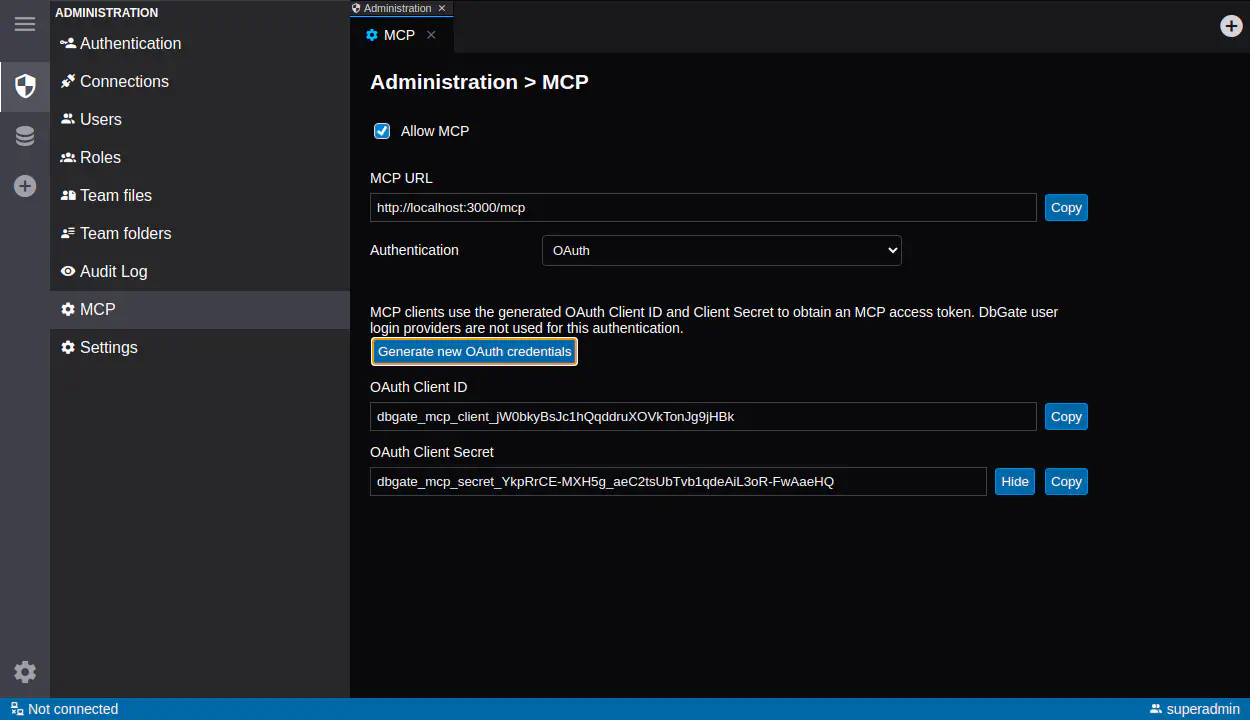
The DbGate Community edition running in Docker now includes a read-only MCP (Model Context Protocol) server. MCP provides a standard way for compatible AI assistants and development tools to connect to DbGate and work with database information through a controlled interface.
Read-only access is a useful default for database exploration and troubleshooting. It allows users to benefit from AI-assisted workflows while preventing the connected client from changing data.
Advanced MCP Capabilities in Team Premium
DbGate Team Premium extends the MCP server with more advanced capabilities for teams that need deeper integration. These include query execution, data modification, and granular access control.
Administrators can control which resources are available through MCP instead of exposing every configured connection automatically. This makes it possible to provide narrowly scoped access for different users, roles, and AI-assisted workflows.
Together, the Docker-based Community and Team Premium implementations provide a practical upgrade path: start with read-only MCP access, then enable advanced operations and more detailed permissions where they are required.
Character Encoding for Binary Values
The cell value editor now allows users to select the character encoding used when decoding binary data.
Binary columns sometimes contain text stored in an encoding that cannot be detected reliably. Being able to choose the encoding explicitly makes these values easier to inspect and prevents valid text from being displayed as unreadable characters.
DataGrid Filter Actions Remain Available
Filter action buttons are now accessible even when the active filter returns no rows.
Previously, an empty result could also hide the controls needed to adjust or clear the filter. The actions now remain available, making it easier to recover from an overly restrictive filter without leaving the current view.
SQL Dialect and Data Type Improvements
This release also includes several improvements for users working across different database engines:
- SQL Server data types are converted more accurately when targeting MySQL.
decimalis now available as a PostgreSQL dialect data type option.- MySQL autocomplete now works correctly for queries containing
PARTITIONclauses.
These changes improve both schema conversion and everyday SQL editing, especially in environments that use multiple database systems.
Complete Changelog
7.2.3
- ADDED: Read-only MCP server support (Community, Docker)
- ADDED: Advanced MCP server capabilities, including query execution, data modification, and granular access control (Team Premium)
- FIXED: Filter action buttons not being accessible when no rows match the active filter
- ADDED: Character encoding selection for decoding binary cell values
- ADDED: Improved SQL Server to MySQL data type conversion
- ADDED: Decimal as a PostgreSQL dialect data type option #1490
- FIXED: MySQL autocomplete for queries containing PARTITION clauses #1500