DbGate Shopify App - a live-grid alternative to Matrixify
Matrixify is the best-known bulk data tool on the Shopify App Store, and it is very good at what it does: you export a sheet, edit it in Excel, and import it back. Its coverage of Shopify’s data model is the widest of any app.
DbGate Shopify App approaches the same problem from the other end. Instead of moving your store through a file, it opens your store data directly in an editable, spreadsheet-like grid inside Shopify Admin - you filter, edit and save without a single download. The file workflow is still there when you want it; it just is not the only way to get work done.
If you spend more time looking at and fixing store data than migrating it, that difference is the whole story.
The core difference: a file cycle vs a live grid
| Matrixify | DbGate Shopify App | |
|---|---|---|
| Primary workflow | Export → edit in Excel → import | Open the table, edit in place, save |
| Seeing your data | In the exported file | Live in the app, filtered and sorted |
| Small fix (one price, ten rows) | Full export/import cycle | Click the cell, type, save |
| Large restructure | Excel’s full power, Command columns |
Excel round trip, or edit in the grid |
| Reviewing a change | Read the import report afterwards | Review the pending changes before they are written |
DbGate builds every edit into a pending change set. Before anything reaches Shopify you get a hierarchical Save Changes dialog showing exactly which products, variants, media and inventory records will be touched, with a checkbox on each - and per-operation results afterwards if some rows fail.
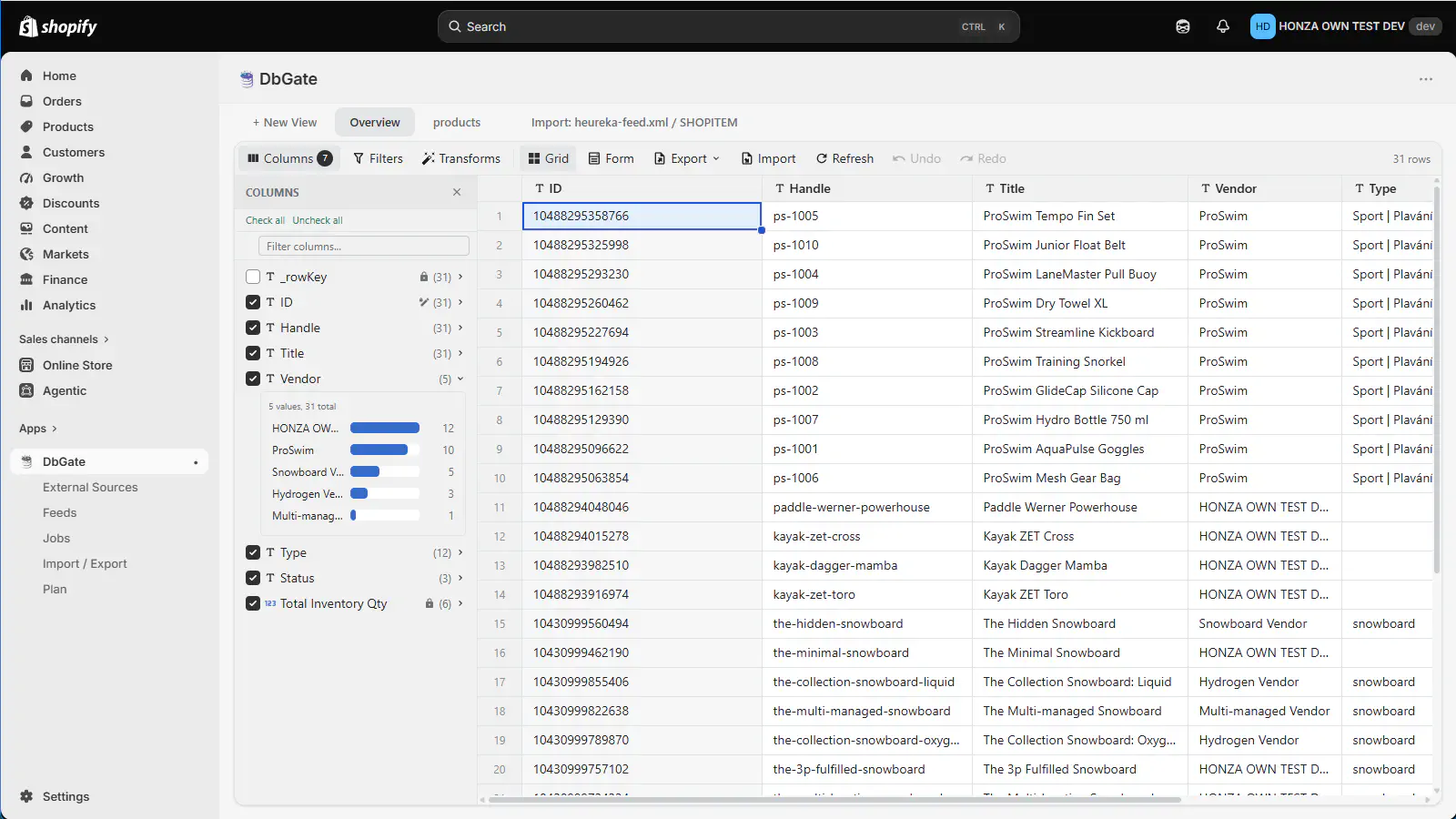
Products, variants and metafields in a live grid - filter, edit and save without leaving Shopify Admin
What DbGate Shopify App gives you that Matrixify does not
A grid, not a file. Every entity opens with a ready-made Overview table you can use straight away. Build your own table on top of it: pick columns from grouped families - basic fields, media, inventory and variants, collections, metafields and variant metafields - filter with Shopify’s own search query syntax, add filters, sort, and save the whole thing as a table you reopen any time.
Scheduled product feeds. Generate Google Merchant, Facebook, Heureka and
Zbozi.cz feeds out of the box, or write your own XML template with placeholders, image repeat
blocks, conditionals and inline formulas ({= Math.round(variantPrice * 1.21 * 100) / 100 }). Feeds
run on demand or on an interval, daily or weekly schedule, and the product path is resumable, so
catalogs of 100,000+ products generate despite Shopify’s API throttling. This is a whole product
category Matrixify does not cover.
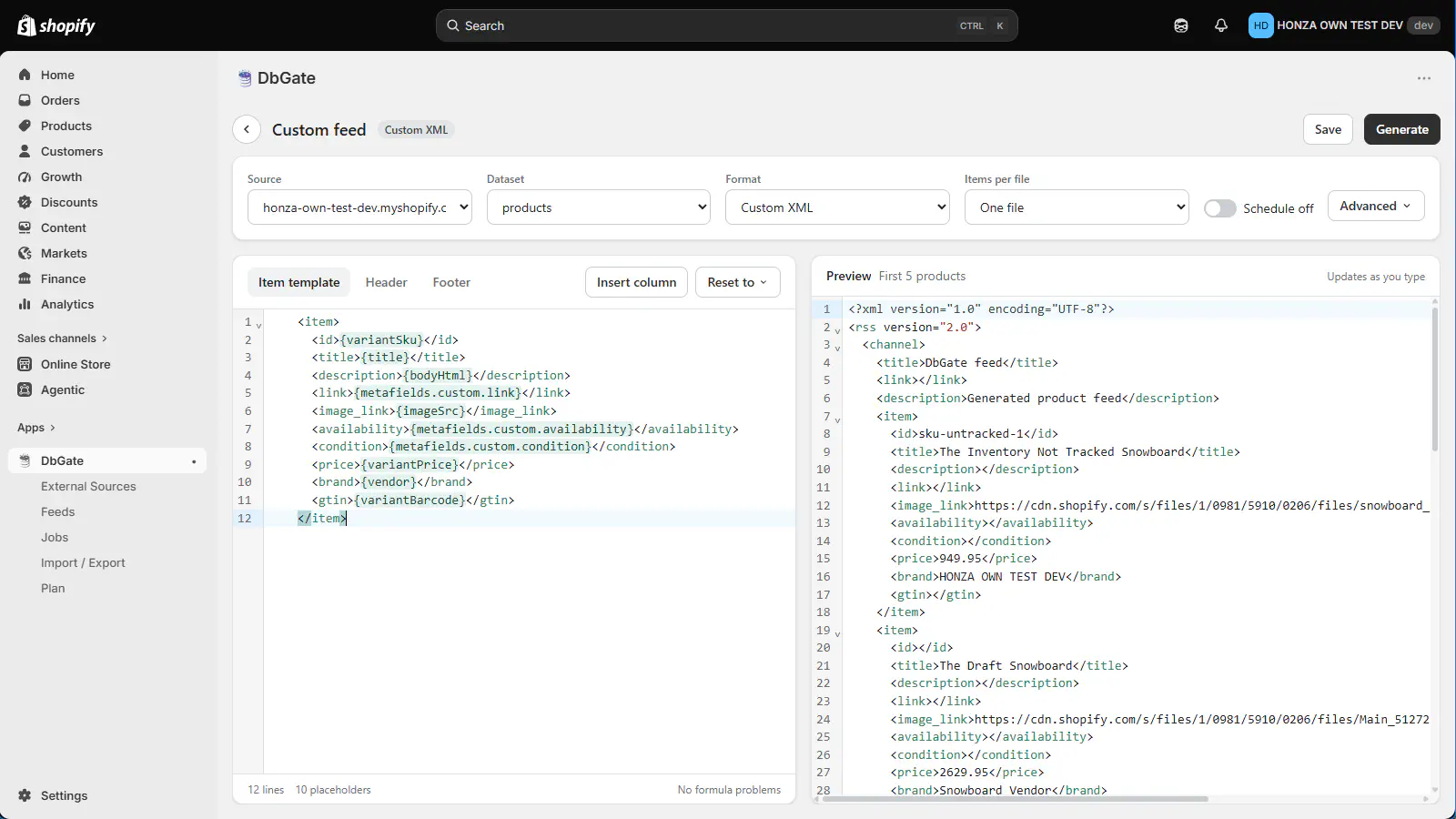
A custom XML feed template with placeholders and a preview that updates as you type
Excel round trip that updates, not duplicates. Export the products grid - the export menu offers a “for editing” variant of every format that adds the identity columns and writes SKUs and barcodes as text so Excel cannot mangle them - edit the file, import it back, and the changes land on the existing products. An empty cell means “leave unchanged”, never “clear”, and the import never deletes.
A home page you assemble yourself. The cards on the app’s home page show the numbers you picked - products, orders in the last 30 days, customers, collections - and each one opens the table behind it. Below them are your saved tables with their column and row counts.
Entities Matrixify has no sheet for. Metafield definitions, price lists, catalogs, catalog prices and markets are first-class tables in DbGate. Matrixify reaches some of that ground through columns embedded in other sheets, and creates metafield definitions implicitly on import rather than letting you manage them directly.
External sources beside your store data. Load CSV, JSON and XML files into the app and work with them next to your Shopify entities - useful for supplier price lists and reconciliation.
Whole-store transfer as one archive. Move an entire store - every entity the catalog supports, plus its images and files - as a single ZIP, or carry just your feeds, jobs, saved tables and settings to another shop.
A path into a full data tool. The Enterprise plan opens the same store in DbGate Central, where the data becomes a BI source and can be exposed to AI assistants over MCP.
Where Matrixify is ahead
We keep an internal gap analysis of Matrixify’s 19 sheets against our own entities, so we can be specific rather than vague. As of today Matrixify wins on:
- Entities we do not have yet: Metaobjects, Translations and the Activity log.
- A cross-entity Metafields sheet. DbGate exposes metafields as columns on each entity grid - which actually covers more owner types - but there is no single view for editing metafields across owner types at once.
- Multi-location inventory. DbGate writes inventory against one location; Matrixify has a full
Inventory Available: <Location>column family. - Per-catalog and per-language dynamic columns, generated the same way DbGate generates metafield columns - we have the machinery, we have not applied it there.
Commandcolumn semantics. Matrixify’sREPLACEvsMERGEdistinction for tags, line items, menu items and addresses has no DbGate equivalent; DbGate’s behaviour is effectivelyMERGE.- Wider writable attribute coverage, particularly on Customers (marketing consent, note, tax exemption, locale), Companies, and Products (variant cost, HS code, country of origin, product category).
- Import of new records for every entity. In DbGate, the file import path creates records for any entity but only the products import produces updates to existing rows; the other entities are insert-only from a file. In the grid, updates work everywhere.
If your work is a one-off migration between stores, or it depends on translations, metaobjects or multi-location inventory, Matrixify is the better tool today and we would rather say so than have you find out after installing.
Feature comparison
| Matrixify | DbGate Shopify App | |
|---|---|---|
| Live editable grid inside Shopify Admin | – | ✓ |
| Saved tables with custom columns and filters | – | ✓ |
| Shopify search query syntax in filters | – | ✓ |
| Review changes before they are written | – | ✓ |
| Excel / CSV export and import | ✓ | ✓ |
| Excel round trip as updates | ✓ | ✓ (products) |
| Scheduled jobs | ✓ | ✓ |
| Product feeds (Google, Facebook, Heureka, Zbozi.cz) | – | ✓ |
| Custom XML feed templates with formulas | – | ✓ |
| Configurable home dashboard | – | ✓ |
| External CSV / JSON / XML sources | – | ✓ |
| Whole-store transfer archive | ✓ | ✓ |
| Metafield definitions, price lists, catalogs, markets as tables | – | ✓ |
| Metaobjects, Translations, Activity | ✓ | – |
| Cross-entity metafields sheet | ✓ | – |
| Multi-location inventory | ✓ | – |
REPLACE / MERGE command semantics |
✓ | – |
| BI reports and MCP for AI assistants | – | ✓ (Enterprise) |
Pricing
DbGate Shopify App is billed by Shopify every 30 days in USD. The plan sets how many records of each entity the app will load and write - every feature is in every plan:
- Demo - free: 10 of each entity
- Basic - $3.90: 1,000 products and variants, 60 collections, 400 customers, 2,000 files
- Pro - $7.90: 10,000 products and variants, 600 collections, 4,000 customers, 10,000 files
- Enterprise - $49: no limits, plus DbGate Central access
A Shopify development store runs the app with no plan limits at all, so you can evaluate the whole feature set before your store goes live.
Matrixify prices on a different axis: its plans are tiered by how many items a single import or export job may process, with a free tier for very small jobs. Which model is cheaper depends entirely on your catalog size and how often you run bulk operations - check their pricing against the numbers above for your own store.
See the full DbGate Shopify App plan comparison.
Which one should you choose?
Choose Matrixify if your work is migrations and bulk file operations, if you need translations,
metaobjects or the activity log, or if you rely on Excel Command semantics and multi-location
inventory columns.
Choose DbGate Shopify App if you want to look at your store data the way you look at a spreadsheet - open a table, filter it, fix what is wrong, save - and if you want product feeds, a dashboard and cheap entry pricing in the same app.
They are not mutually exclusive, and plenty of stores will keep both: one for the yearly migration, one for the daily work.
Ready to try it on your store?
Install the app and open your first table in under a minute - no separate account, no data export.