DbGate for SHOPIFY
your whole store in one editable grid
Browse and bulk-edit products, variants, collections, customers, orders and metafields in a fast, spreadsheet-like grid. Import, export and generate scheduled product feeds - without leaving Shopify Admin.
What you can do
-
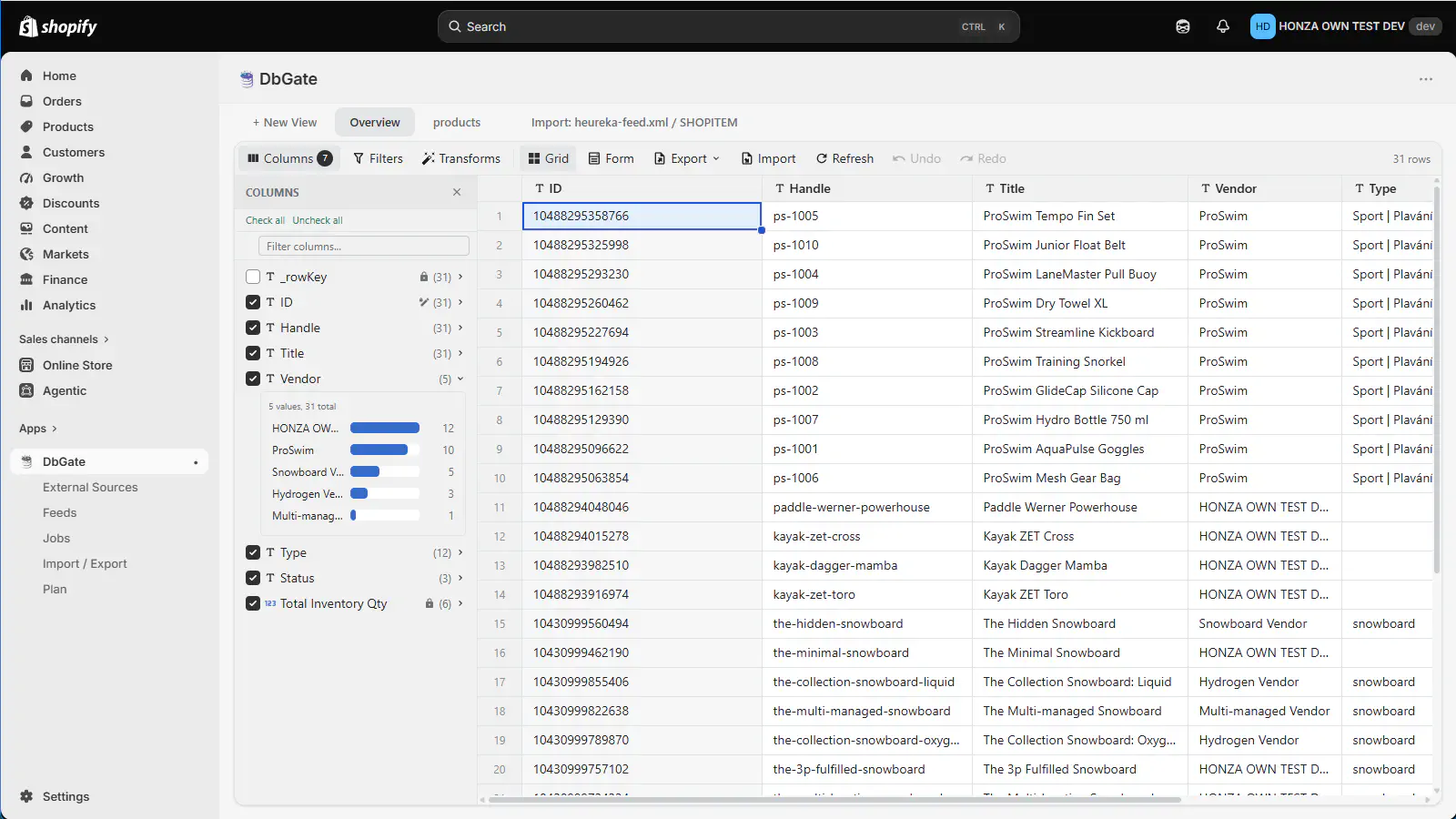
Every store entity in one editable grid
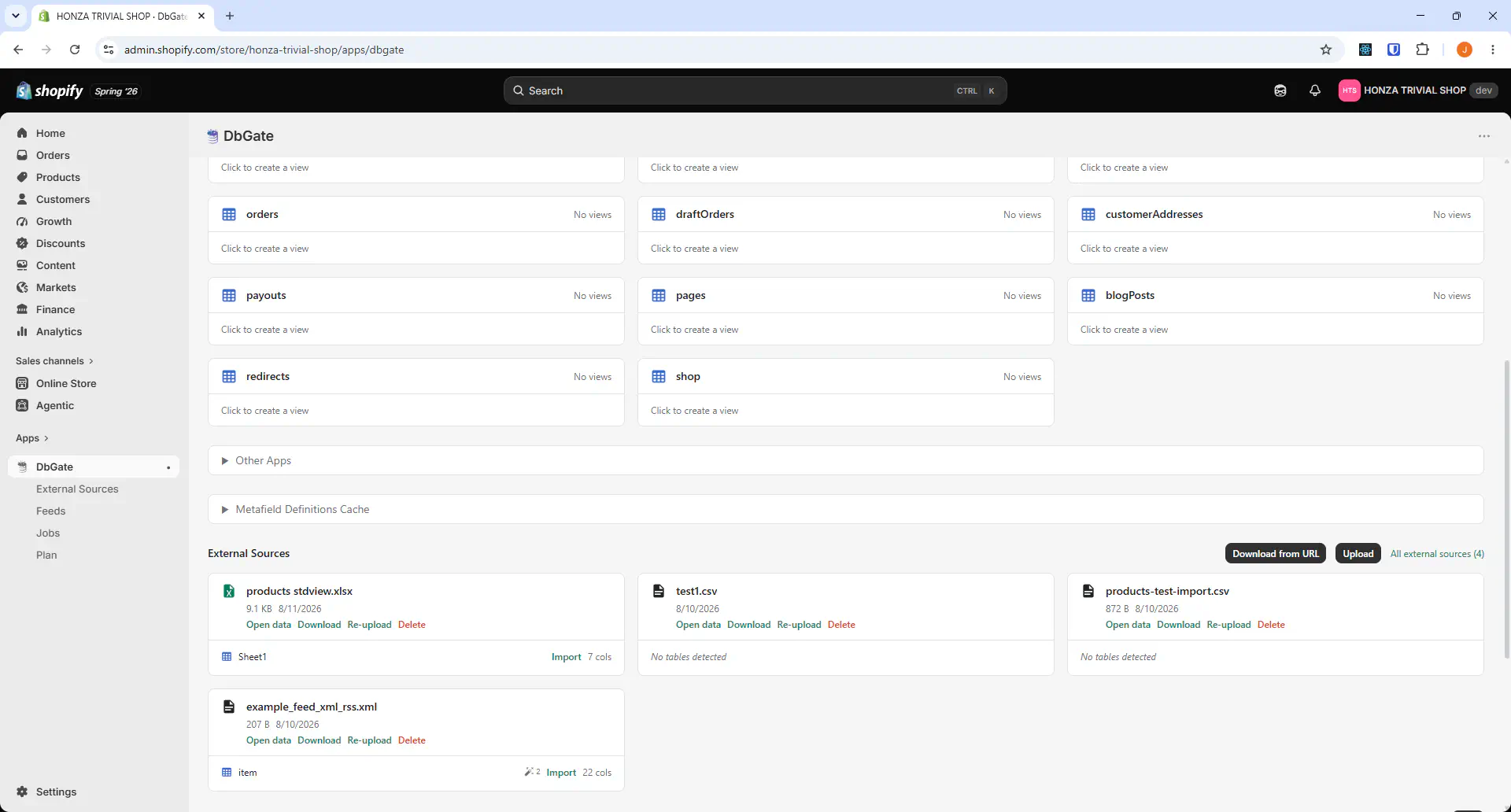
Products, variants, media, collections, customers, companies, orders, draft orders, discounts, files, pages, blog posts, menus, redirects, markets, catalogs, price lists and metafields - all in the same spreadsheet-like grid, right inside Shopify Admin.
-
Build exactly the table you need
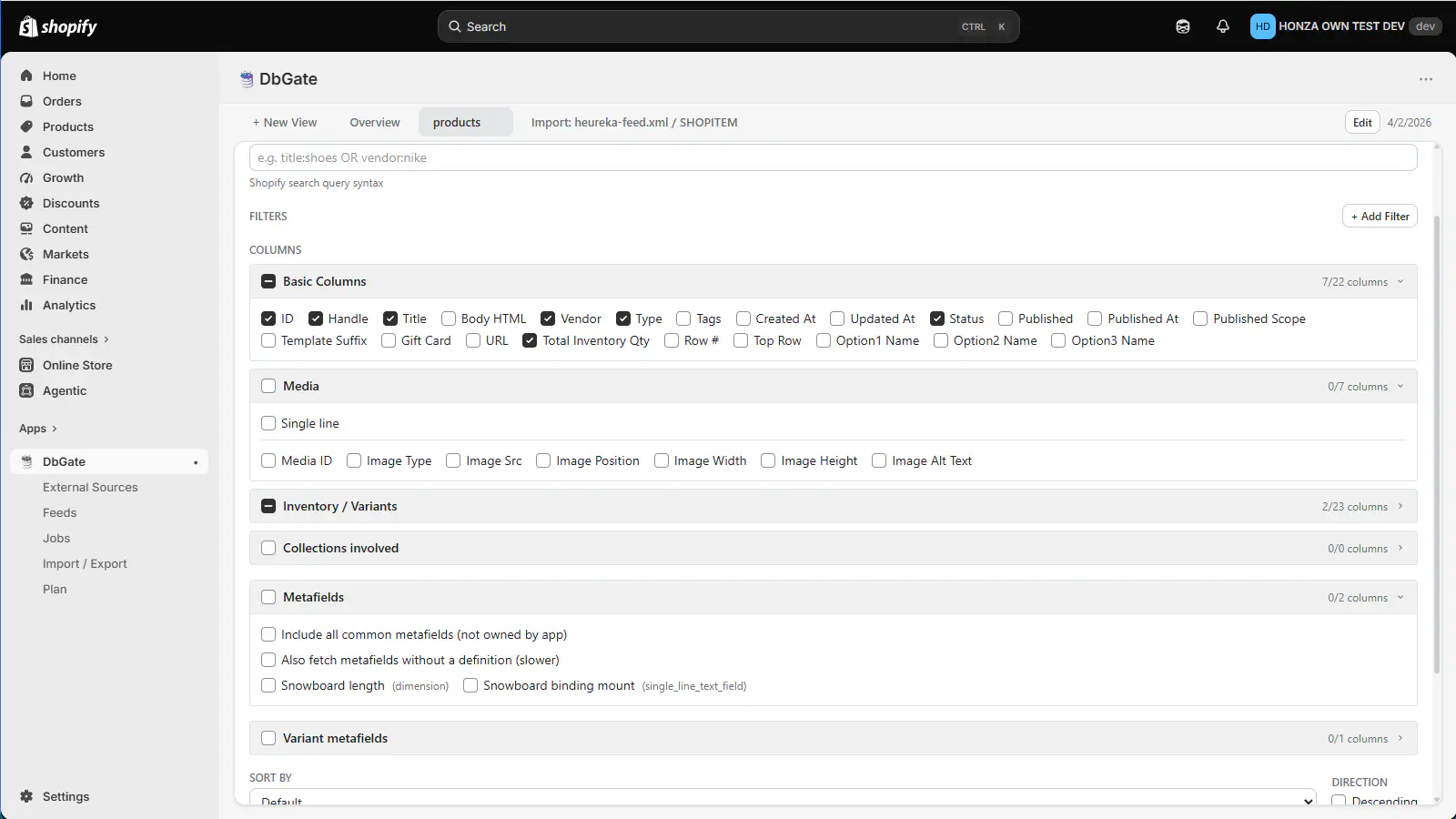
Pick columns from grouped sets - basic fields, media, inventory and variants, collections, metafields and variant metafields - then filter with Shopify's own search query syntax, add filters and sort. Save the result as a table you can reopen any time.
-
Bulk edit and save back to Shopify
Change prices, SKUs, barcodes, descriptions, inventory, variants, images and metafields across many rows at once, review everything in the Save Changes dialog and write it back to your store in one go.
-
Import, export and the Excel round trip
Export to CSV, XLSX, XML and JSON, edit the file in Excel and import it back as updates to the existing products - not duplicates. An empty cell means "leave unchanged", and the import never deletes.
-
Scheduled product feeds
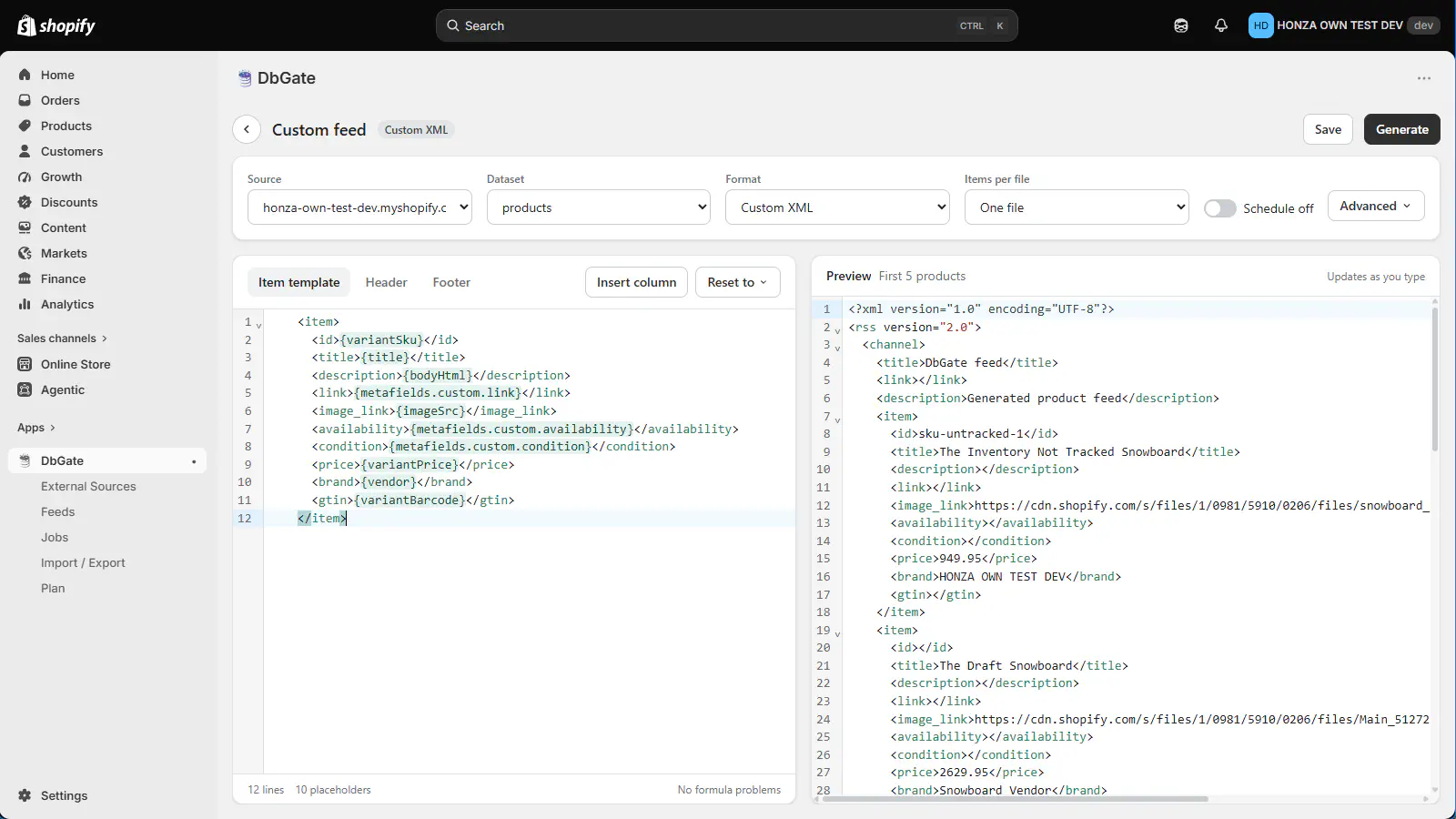
Generate Google Merchant, Facebook, Heureka and Zbozi.cz feeds out of the box, or write your own XML template with placeholders, image repeat blocks and formulas. Run feeds on demand or on an interval, daily or weekly schedule.
-
A home page you assemble yourself
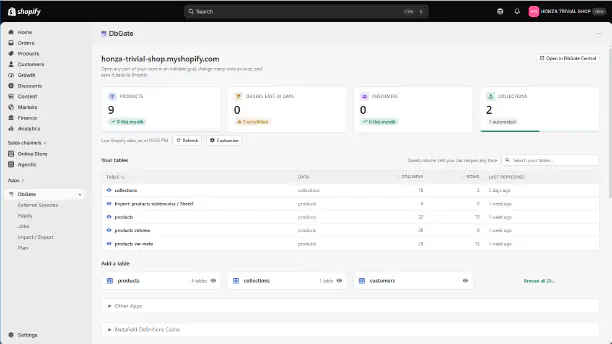
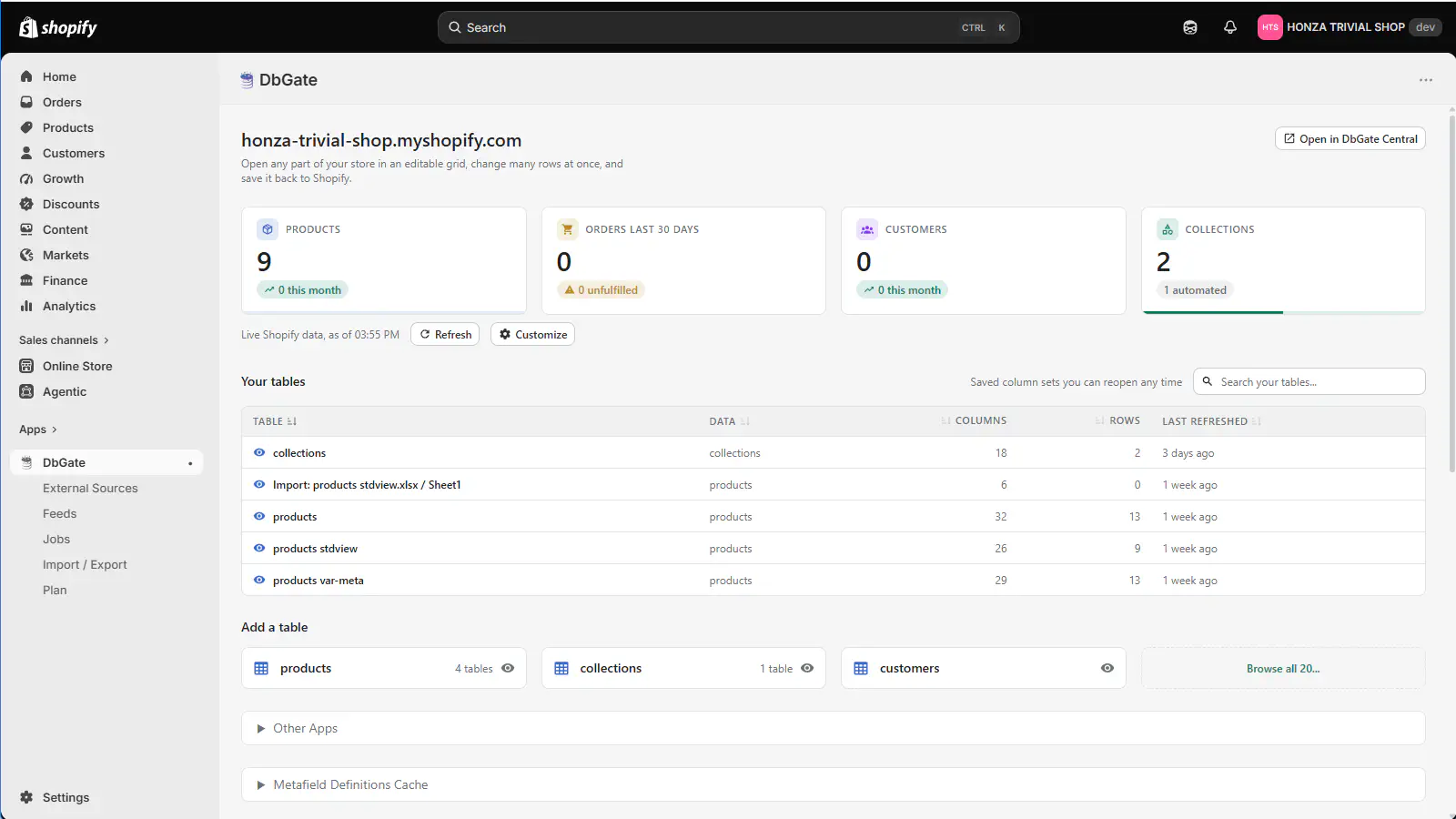
The cards on the home page show the numbers you picked - products, orders in the last 30 days, customers, collections - each one opening the table behind it. Below them, your saved tables with their column and row counts.
-
External sources and full-shop transfer
Bring CSV, JSON and XML files in as external sources and use them beside your store data. Move a whole store - every entity, plus its images and files - as a single ZIP archive, or carry just your feeds, jobs, views and settings to another shop.
Everything in your store
Each entity opens as a table with an Overview you can use straight away - or configure your own columns, filters and sorting and save it for later.
Variants, media, options and inventory
Manual and automated collections
Customers and their addresses
B2B companies and locations
Orders and their line items
Draft orders in progress
Discount codes and automatic discounts
Images and other store files
Online store content
Navigation and URL redirects
Markets, catalogs and price lists
Metafield definitions and values
Metafields are fully supported everywhere, including metafield definitions and metafields owned by other apps installed in your store.
Pricing
Four plans, billed by Shopify every 30 days in USD. The plan sets how many records of each entity the app will load and write - everything else is in every plan.
| Demo Free | Basic $3.90 / 30 days | Most popular Pro $7.90 / 30 days | Enterprise $49 / 30 days | |
|---|---|---|---|---|
| Try it on a small store | For a small catalog | For a growing store | No limits at all | |
| Products and variants | 10 | 1 000 | 10 000 | Unlimited |
| Collections | 10 | 60 | 600 | Unlimited |
| Customers | 10 | 400 | 4 000 | Unlimited |
| Companies (B2B) | 10 | 20 | 200 | Unlimited |
| Metafield definitions | 10 | 20 | 200 | Unlimited |
| Files | 10 | 2 000 | 10 000 | Unlimited |
| Bulk view & edit, import & export | ||||
| Feed generation | ||||
| External sources (CSV, JSON, XML) | ||||
| Open in DbGate Central |
Note: a Shopify development store runs the app without any plan limits, so you can evaluate the full feature set before your store goes live. Plans are purchased and billed through Shopify, not through dbgate.io.