Version 7.2.6 - Built-in SQL Server Backup and Restore
Published: 2026-09-01 | Stela Augustínová
We are pleased to announce DbGate version 7.2.6. This release brings built-in SQL Server backup and restore to the Community edition, extends the backup workflow with more control and diagnostic information, and improves OAuth administration and cell value inspection.
Back Up and Restore SQL Server Without External Tools
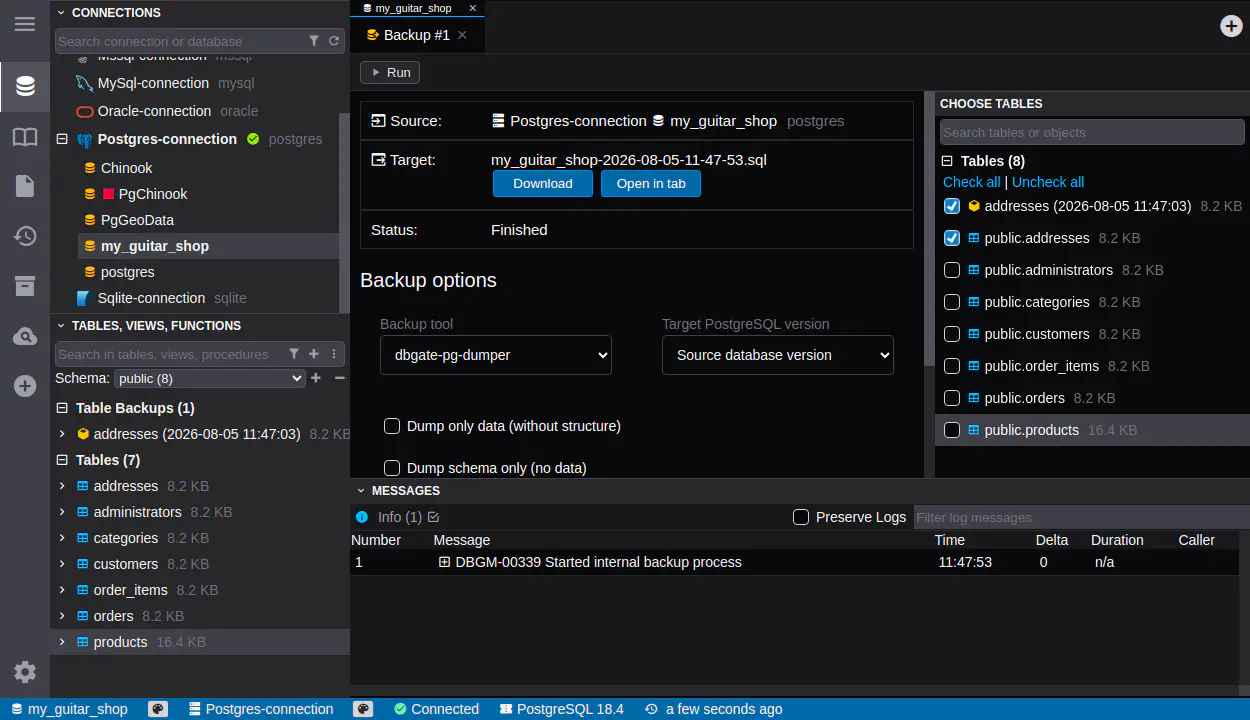
DbGate Community can now create and restore SQL Server backups using a built-in implementation. The workflow does not require separate SQL Server command-line tools, making backup and restore easier to use across desktop, Docker, and other environments where external utilities might not be installed or available.
The new SQL Server support follows the built-in PostgreSQL backup and restore introduced in DbGate 7.2.4. Both database engines can now be handled directly in DbGate through a consistent interface, reducing environment-specific setup and keeping common database maintenance tasks in one application.
Stop a Restore When the First Error Occurs
PostgreSQL and SQL Server restore jobs now include an option to stop as soon as the first error is encountered. This is useful when later statements depend on an earlier step or when continuing after a failure would produce a partially restored database that is harder to diagnose.
You can still allow a restore to continue when collecting all errors is more useful. The new option gives you control over the behavior for each restore instead of enforcing one strategy for every situation.
Assign Roles to OAuth Users
Team Premium administrators can now assign roles to users authenticated through OAuth. OAuth-based sign-in can therefore use the same role-based access model as other authentication methods, without requiring administrators to manage permissions separately outside DbGate.
This simplifies access management for teams using an external identity provider. Administrators can keep authentication centralized while controlling access to DbGate connections, databases, and other resources through the existing role configuration.
More Accurate JSON Detection in the Cell Viewer
The cell viewer no longer treats invalid JSON-like strings as JSON automatically. Values that contain braces, brackets, or other JSON-looking characters but are not valid JSON are now displayed as plain text.
This prevents misleading formatting and parsing errors when inspecting logs, fragments, templates, or other text that only resembles JSON. Valid JSON values continue to open in the dedicated JSON view as before.
Complete Changelog
7.2.6
- ADDED: Built-in SQL Server backup and restore without requiring external SQL Server tools (Community)
- ADDED: Option to stop PostgreSQL and SQL Server database restore on the first error
- ADDED: Optional diagnostic reports for backup and restore operations
- ADDED: OAuth user role assignment (Team Premium)
- FIXED: Invalid JSON-like strings are no longer automatically displayed as JSON in the cell viewer #1539