Version 7.3.2 - Built-in Redis, SQLite, libSQL, and Cloudflare D1 Backups
Published: 2026-10-09 | Stela Augustínová
DbGate 7.3.2 expands built-in backup and restore to Redis and SQLite. Premium users can also back up and restore local libSQL database files and Cloudflare D1 databases. The release adds permission checks to these operations and fixes two issues affecting Community MCP tools and backup file names.
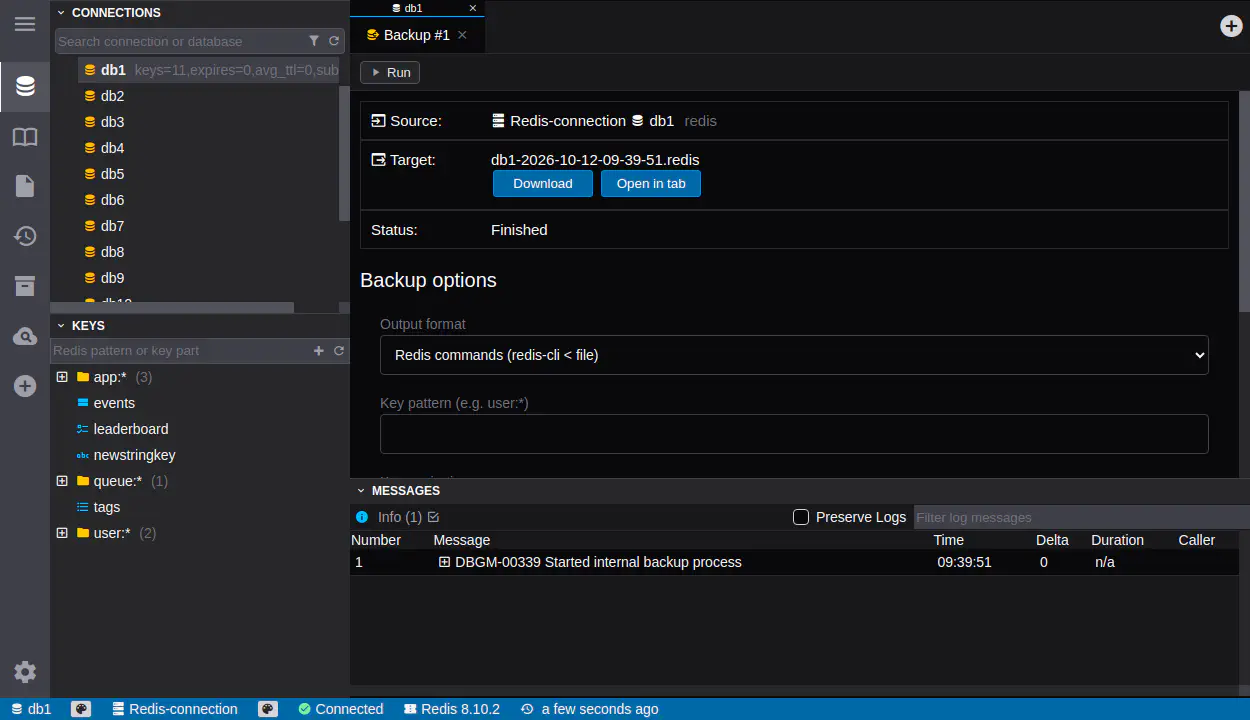
Back Up and Restore Redis
Redis databases can now be backed up and restored directly in DbGate. Choose a readable Redis command file, which can be used with redis-cli < file, or a RESP stream for redis-cli --pipe < file. DbGate gives the files .redis and .resp extensions, respectively.
You can limit a backup to keys matching a pattern, such as user:*. Expiration options let you keep each key’s absolute expiry time, preserve its remaining time to live, or omit expiration. You can also choose between portable commands and Redis DUMP payloads, decide whether existing keys should be replaced during restore, and include stream consumer groups and pending entries.
By default, a backup covers the selected logical database. An option backs up all logical databases and restores their keys to their original databases. The built-in dumper supports regular Redis connections; Redis Cluster connections are excluded because clusters do not use logical databases in the same way.
Back Up and Restore SQLite and libSQL Files
SQLite now has built-in SQL backup and restore. Export a complete database, only its schema, or only its data. Backup options can add DROP statements before object creation, include the user_version and application_id database settings, and preserve rowids for tables without an INTEGER PRIMARY KEY.
The same built-in workflow is available for local libSQL database files in Premium. It applies to file connections; remote libSQL URL connections are not supported by the built-in dumper.
Back Up and Restore Cloudflare D1
Premium users can now back up and restore Cloudflare D1 databases through DbGate. D1 uses the SQLite backup options, so you can choose the content of the SQL dump before exporting it. Restore sends the SQL to D1 in batches and reports errors when a batch fails.
Permissions and Reliability
Built-in backup and restore now follow DbGate’s standard connection, database role, and import or export permission checks. Database restrictions also apply to these operations, including Redis restores, so a restricted restore cannot write into another logical database.
Backup files now use the database file name where applicable and the extension for the selected format. This release also fixes Community MCP tool calls that could crash while resolving permissions.
Complete Changelog
7.3.2
- ADDED: Built-in Redis backup and restore with Redis command and RESP output formats, key filtering, expiration handling, and multi-database support
- ADDED: Built-in SQLite backup and restore with options for exporting data, schema, database settings, and rowids
- ADDED: Built-in backup and restore for local libSQL database files and Cloudflare D1 databases (Premium)
- CHANGED: Added standard permission checks and database restrictions to built-in backup and restore operations
- FIXED: Community MCP tool calls crashing while resolving permissions
- FIXED: Backup file names not using the database file name and the correct format-specific extension