Connect to API endpoints
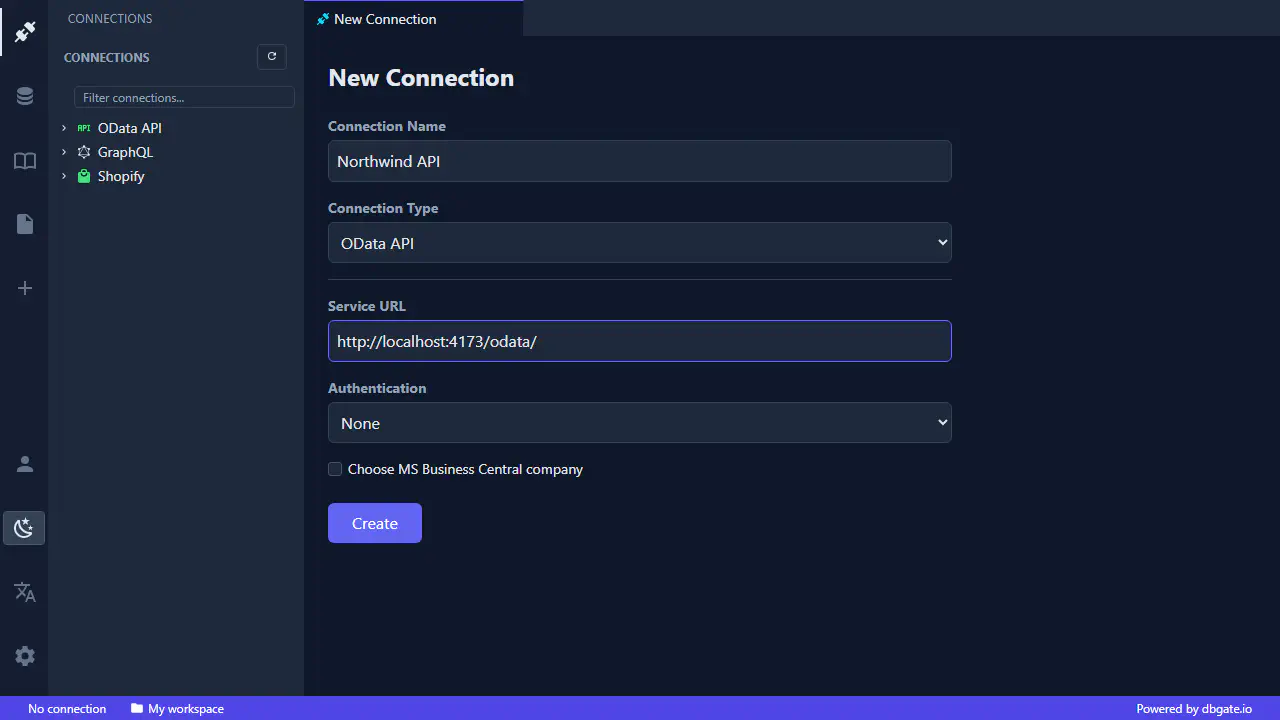
Connect to GraphQL, Shopify and oData endpoints with Basic, Bearer token or API key authentication. Nothing to install - just open it in your browser and connect.
DbGate Central is a hosted edition of DbGate that turns your API endpoints into something you can browse, query and edit like a regular database. There is nothing to install - sign in at central.dbgate.cloud, get a ready-to-use workspace in your browser, and add a connection in seconds.
Supported endpoint types
- GraphQL - introspect the schema, browse types and run queries against any GraphQL API.
- oData - work with oData V4 services as if they were ordinary tables.
- Shopify - connect to your store through the Shopify Admin API and explore products, orders, customers, metafields and more.
Authentication
Open the New Connection dialog, pick the connection type, enter the service URL and choose how to authenticate:
- None - for open, public endpoints.
- Basic - username and password.
- Bearer token - paste an access token.
- API key - send a key in a header or query parameter.
Connections live in your workspace, so they are there the next time you sign in - on any device, with nothing to set up locally.