MCP server for AI agents
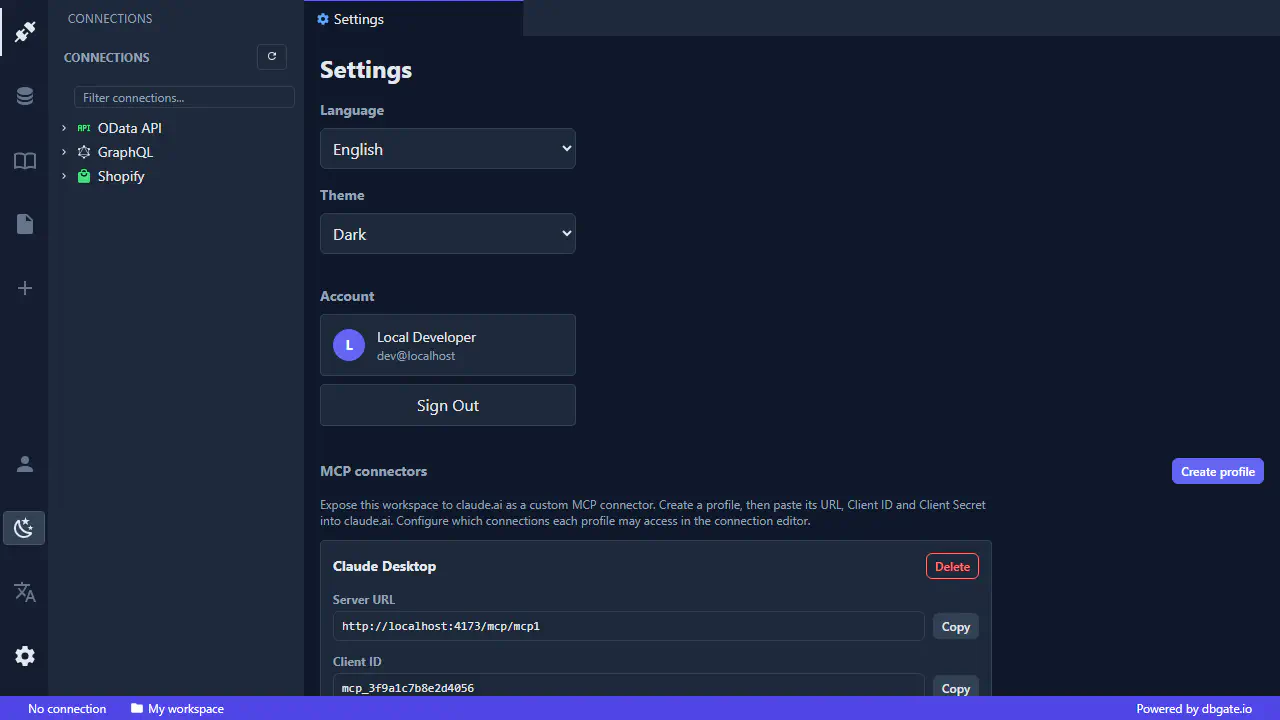
Expose your connections to AI assistants like Claude through a built-in Model Context Protocol (MCP) server, with per-connection read-only or writable access you control.
DbGate Central can expose your workspace to AI assistants such as Claude as a remote MCP (Model Context Protocol) connector - so an agent can explore and query your APIs the same way you do, with access that you stay in control of.
Set it up in minutes
- Open the Settings tab and create an MCP profile. Copy its Server URL, Client ID and Client Secret.
- In claude.ai, add a custom connector using that URL and the OAuth credentials.
- For each connection, choose its MCP access level - No access, Read-only or Writable. The default is no access, so nothing is shared until you allow it.
- The assistant signs in to DbGate and you consent - binding the connector to that profile and workspace.
Each workspace can have multiple MCP profiles, each with its own URL, credentials and per-connection grants. Authentication uses OAuth 2.1 with PKCE, and client secrets are encrypted at rest.
What the agent can do
Available for oData, GraphQL and Shopify connections:
- List connections the profile is allowed to use.
- List entities - tables, views or catalog entities.
- Inspect the schema - column names and types.
- Query rows - filter, page and select data.
- Update rows - Shopify only, and only when you grant writable access.
Because reads and writes reuse the same engine as the grid and the scheduler, an agent sees exactly the same data and capabilities you do - never more than the access you grant.