Query GraphQL APIs
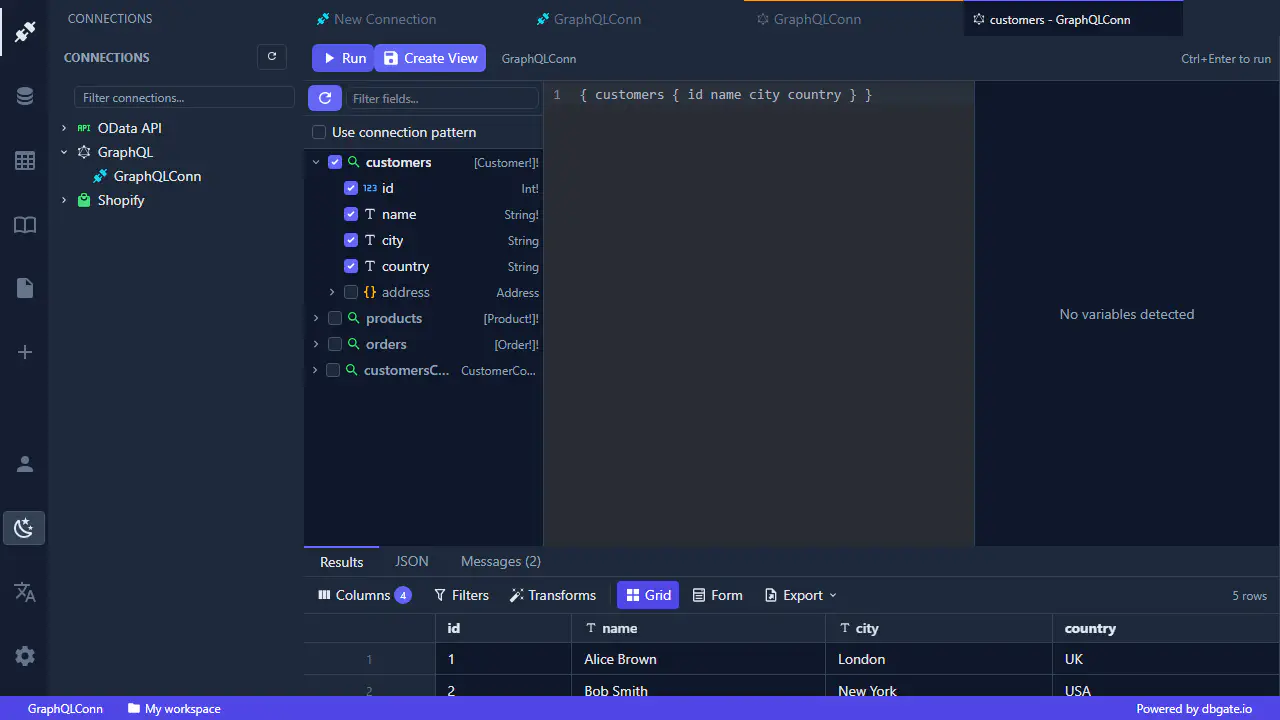
Introspect the schema, browse types and run queries against any GraphQL API.
Point DbGate Central at any GraphQL API and it does the discovery for you - no need to dig through documentation to find out what is available.
Explore the schema
DbGate Central introspects the GraphQL schema as soon as you connect. Browse the available types and fields in the tree, then open a query tab to start working.
Run queries
- Write queries with the GraphQL editor and run them against the live API.
- Supply query variables alongside the query.
- Results come back in a fast, sortable, filterable grid - the same grid used everywhere in DbGate, so a GraphQL response feels just like a database table.
- Nested objects and lists are returned as structured JSON you can expand and inspect in-place.
Queried views are cached per connection, so reopening them is instant while you keep working.